

HC-05 Bluetooth Wireless RS-232 Master/Slave Transceiver Module
HC-05 Bluetooth Wireless RS-232 Master/Slave Transceiver Module
Couldn't load pickup availability
📋 Overview
The HC-05 is a Bluetooth 2.0 serial transceiver module that adds wireless communication to your Arduino or microcontroller projects. It works as a wireless serial (UART) bridge — anything you send over the serial connection on one end comes out the Bluetooth connection on the other end, and vice versa. No complex Bluetooth protocol knowledge is required.
What makes the HC-05 especially versatile is that it can operate as either a master or a slave device. Slave mode means it waits for another device (like your phone) to connect to it. Master mode means it can actively initiate a connection to another Bluetooth device. Configuration is done using simple AT commands sent over the serial connection.
⚠️ Important: The HC-05's RX data pin is NOT 5V tolerant. You must use a voltage divider (1 kΩ + 2 kΩ) on the RX pin when connecting to a 5V Arduino. Connecting 5V directly to the RX pin can permanently damage the module. The breakout board can be powered from 3.6V to 6V (typically 5V from Arduino), but the data pins operate at 3.3V logic.
⭐ Key Features
- Bluetooth 2.0 + EDR: Based on the CSR BC417 radio chip with data rates up to 3 Mbps
- Master and Slave Modes: Can initiate connections (master) or accept them (slave) — configurable via AT commands
- Transparent Serial Bridge: Acts as a wireless UART — no Bluetooth protocol knowledge required
- AT Command Configuration: Change name, password, baud rate, and role using simple serial commands
- Wide Power Range: 3.6V to 6V input (on-board regulator provides 3.3V to the radio chip)
- Low Power Consumption: ~30 mA when searching/unpaired, ~10 mA when connected
- 10-Meter Range: Class 2 Bluetooth with built-in PCB antenna, up to 10 meters (30 feet) line of sight
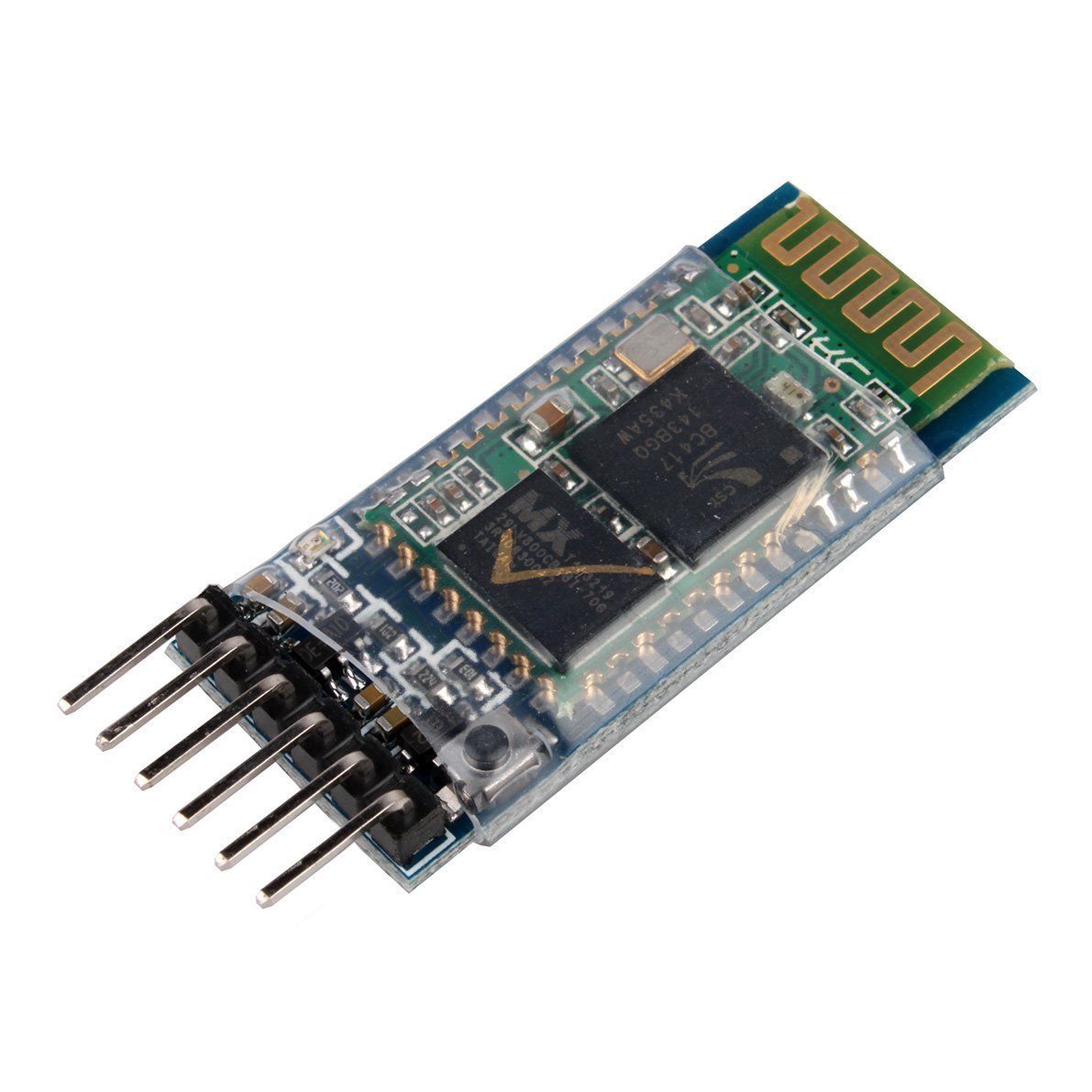
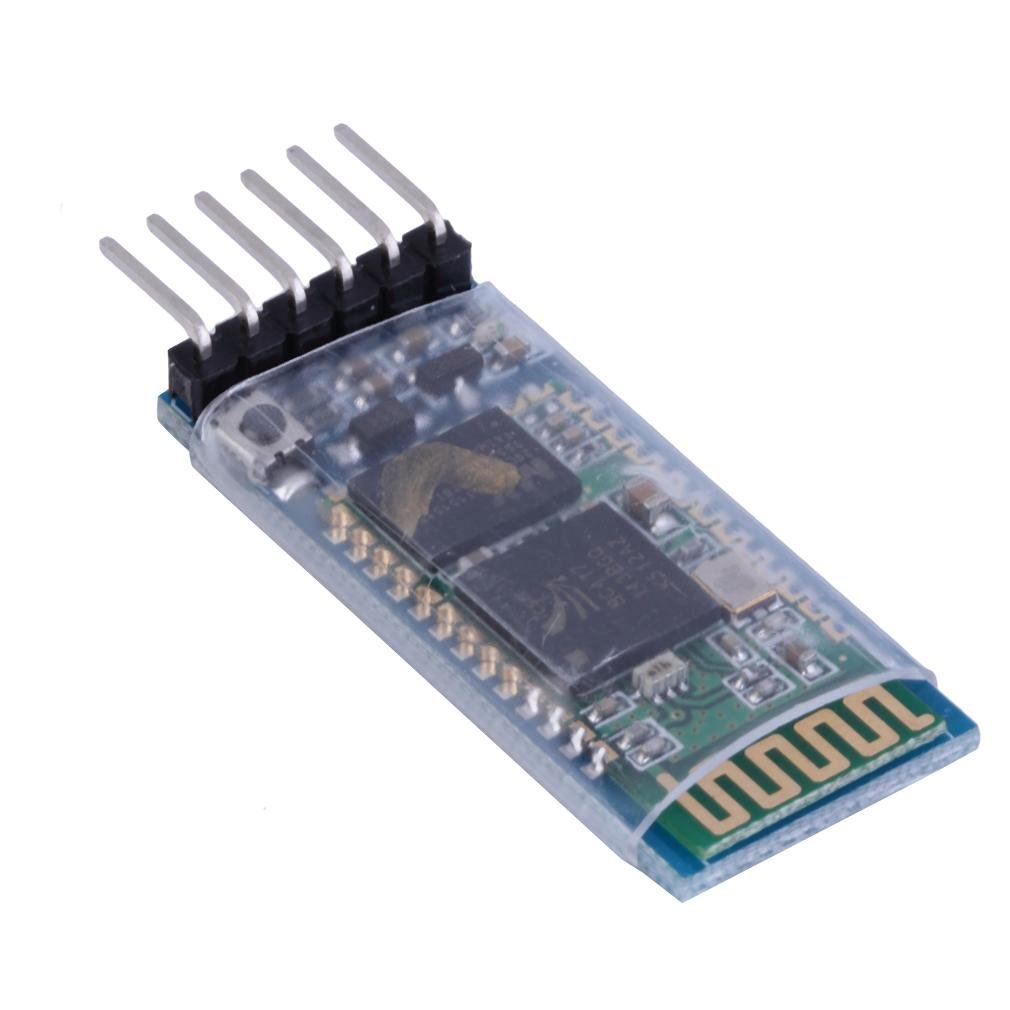
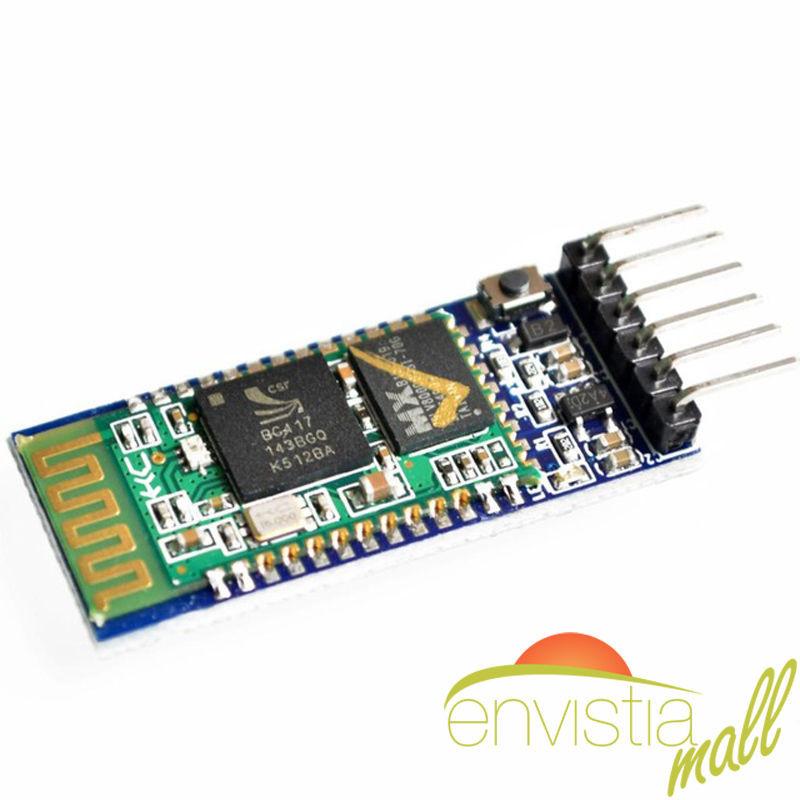
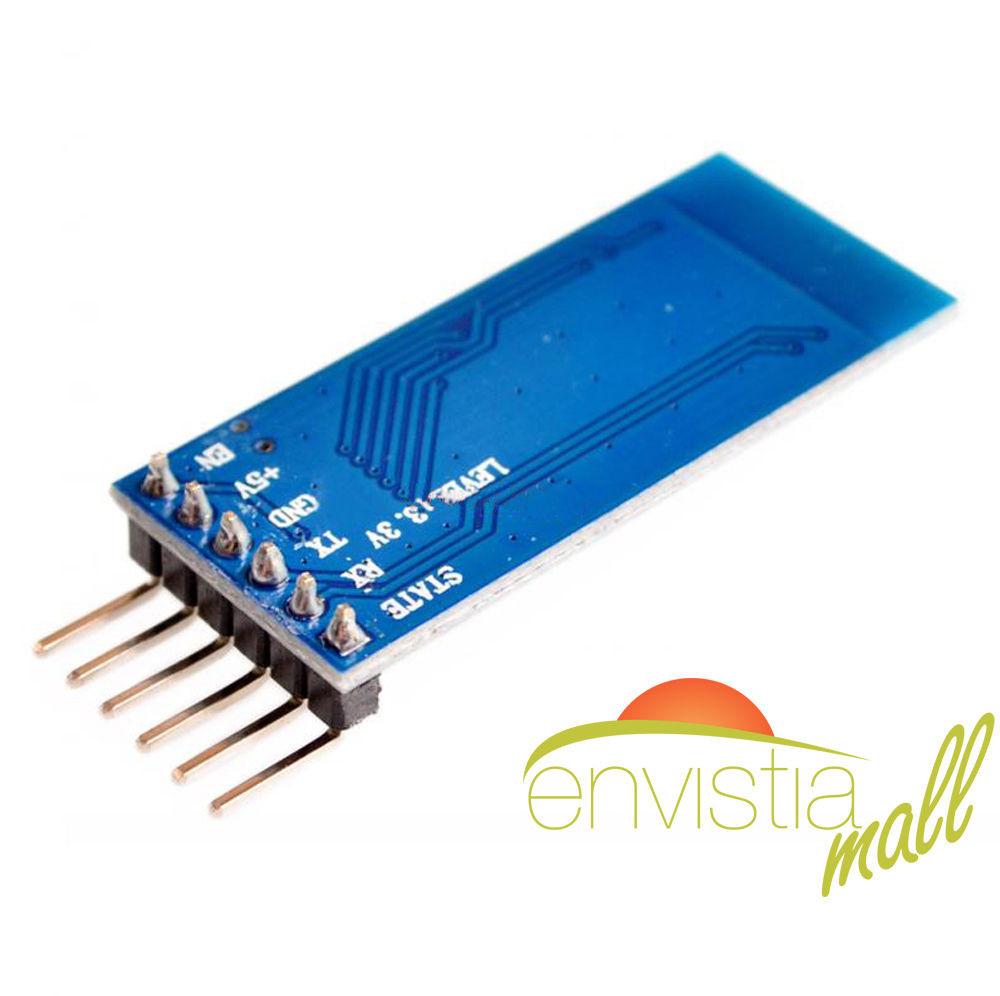
- 6-Pin Breakout Board: Anti-reverse header with clearly labeled pins
- Default Settings: Name: HC-05, Password: 1234, Baud rate: 9600 (communication) / 38400 (AT mode)
📊 Specifications
| Parameter | Value |
|---|---|
| Bluetooth Version | Bluetooth 2.0 + EDR (Enhanced Data Rate) |
| Radio Chip | CSR BC417 |
| Frequency Band | 2.4 GHz ISM band |
| Output Power | -4 to +6 dBm (Class 2) |
| Sensitivity | -80 dBm typical |
| Data Rate | Up to 3 Mbps (EDR), UART up to 1382400 bps |
| Range | Up to 10 meters (30 feet) line of sight |
| Operating Modes | Master, Slave, or Master/Slave (loopback) |
| Interface | UART (serial TTL) |
| Default Baud Rate (Communication) | 9600 bps |
| Default Baud Rate (AT Command) | 38400 bps |
| Default Name / Password | HC-05 / 1234 |
| Input Voltage (VCC) | 3.6V to 6V (on-board 3.3V regulator) |
| Logic Level (RX/TX) | 3.3V (RX is NOT 5V tolerant) |
| Current (Unpaired/Searching) | ~30 mA |
| Current (Connected) | ~10 mA |
| Antenna | Built-in PCB antenna |
| Breakout Board Dimensions | Approx. 44 × 16 × 4 mm (1.73 x 0.63 x 0.16 inches) L × W × H |
📌 Pinout
| Pin | Name | I/O | Description |
|---|---|---|---|
| 1 | EN / KEY | Input | Hold HIGH (3.3V) during power-on to enter AT command mode. Leave unconnected for normal use. |
| 2 | VCC | Power | Power supply: 3.6V to 6V. Connect to Arduino 5V pin. |
| 3 | GND | Power | Ground. Connect to Arduino GND. |
| 4 | TXD | Output | Serial data output (3.3V). Connect to Arduino RX pin. |
| 5 | RXD | Input | Serial data input (3.3V). Use voltage divider from Arduino TX. NOT 5V tolerant. |
| 6 | STATE | Output | HIGH when connected, LOW when disconnected. Optional — often left unconnected. |
🔌 Wiring to Arduino UNO
| HC-05 Pin | Arduino UNO Pin | Notes |
|---|---|---|
| VCC | 5V | Powers the module via on-board regulator |
| GND | GND | Common ground |
| TXD | D2 (SoftwareSerial RX) | HC-05 TX → Arduino RX. 3.3V output is safe for Arduino. |
| RXD | D3 (SoftwareSerial TX) via voltage divider | 1 kΩ from D3 to RXD, 2 kΩ from RXD to GND. |
| EN / KEY | Not connected | Leave unconnected for communication mode |
| STATE | Not connected | Optional — connect to detect connection status |
📦 What's in the Box
- 1× HC-05 Bluetooth Wireless RS-232 Master/Slave Transceiver Module (6-pin breakout board)
Voltage divider resistors, jumper wires, and Arduino board are not included.
🔌 Compatible With
- Arduino UNO, Mega, Nano, and other 5V Arduino boards (with voltage divider on RX)
- ESP8266 and ESP32 boards (3.3V — no voltage divider needed)
- Raspberry Pi (3.3V — no voltage divider needed)
- Android phones and tablets (via Bluetooth SPP serial terminal apps)
- Windows and Linux computers with Bluetooth
- Other HC-05 or HC-06 modules (master/slave pairing)
⚠️ Not Compatible with iOS: The HC-05 uses Bluetooth Classic (SPP profile), which is not supported by iPhones or iPads for third-party apps. For iOS projects, use a BLE module such as the HM-10 or an ESP32.
🎯 Typical Applications
- Wireless serial communication between Arduino and Android phone
- Bluetooth remote control for robots, cars, and drones
- Wireless data logging from sensors to a phone or computer
- Bluetooth-controlled home automation (lights, relays, locks)
- Wireless link between two Arduinos (master + slave pair)
- Replacing wired RS-232 serial connections with wireless
- Remote monitoring and debugging of Arduino projects
🚀 Getting Started
- Wire the HC-05 to your Arduino: VCC → 5V, GND → GND, TXD → D2, RXD → D3 via voltage divider (1 kΩ + 2 kΩ)
- Upload a SoftwareSerial bridge sketch (see User Guide for complete code examples)
- Open the Serial Monitor at 9600 baud
- On your Android phone, go to Settings → Bluetooth and pair with "HC-05" (password: 1234)
- Open a Bluetooth serial terminal app on your phone and connect to HC-05
- Type messages on either end — they appear on the other end wirelessly
💡 Tip: See our complete User Guide (link below) for detailed wiring diagrams, voltage divider instructions, AT command reference, master/slave pairing setup, three complete Arduino sketches, and troubleshooting tips.
⚠️ Important Notes
- RX Pin is NOT 5V Tolerant: Always use a voltage divider (1 kΩ + 2 kΩ) when connecting the HC-05 RX pin to a 5V Arduino. Connecting 5V directly will damage the module.
- Not Compatible with iOS: The HC-05 uses Bluetooth Classic (SPP), which is not supported by iPhones or iPads. Use an HM-10 (BLE) or ESP32 for iOS projects.
- Not Bluetooth Low Energy (BLE): The HC-05 is Bluetooth 2.0 Classic. It cannot communicate with BLE-only devices.
- AT Command Mode: To configure the module, EN/KEY must be held HIGH before power is applied. AT mode uses 38400 baud. Serial Monitor must be set to "Both NL & CR" line endings.
-
Default Settings: Name: HC-05, Password: 1234, Baud rate: 9600 (communication), Role: Slave. Use
AT+ORGLto restore factory defaults if needed. - Use SoftwareSerial: Don't connect the HC-05 to Arduino pins 0 and 1 (hardware serial) — these are needed for sketch uploads and the Serial Monitor.
- 2.4 GHz Interference: The HC-05 operates in the 2.4 GHz band shared with WiFi and other Bluetooth devices. Walls and metal objects can reduce the 10-meter range.
📄 Documentation & Resources
Sold and supported by Envistia Mall. Ships from the USA. For wiring diagrams, setup instructions, and troubleshooting, see the User Guide. The manufacturer and Envistia LLC (dba Envistia Mall) are not responsible for any damages or losses resulting from the use of this product. Always follow proper electrical safety practices when working with electronic components. Specifications are based on manufacturer data and are subject to change without notice.
Share
