

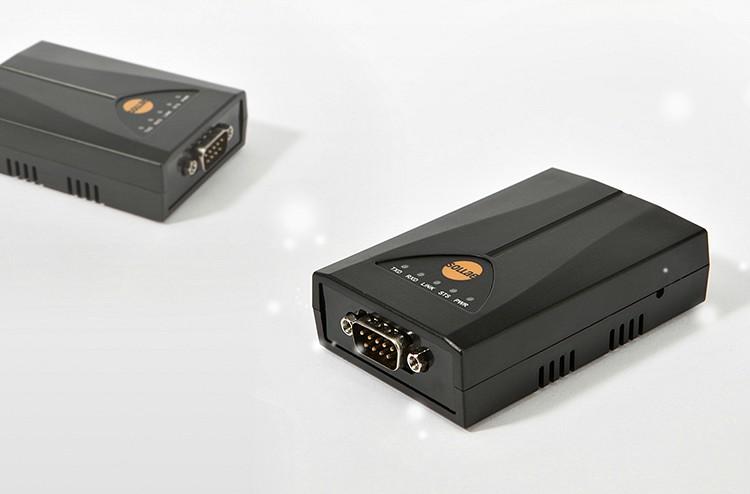
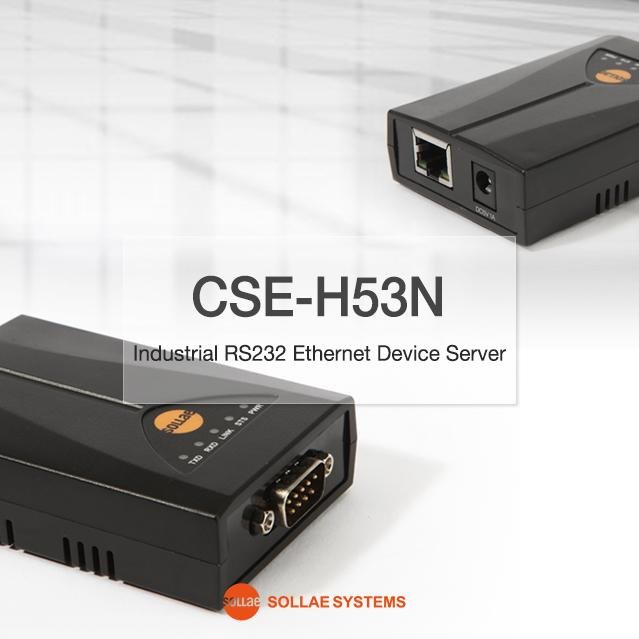
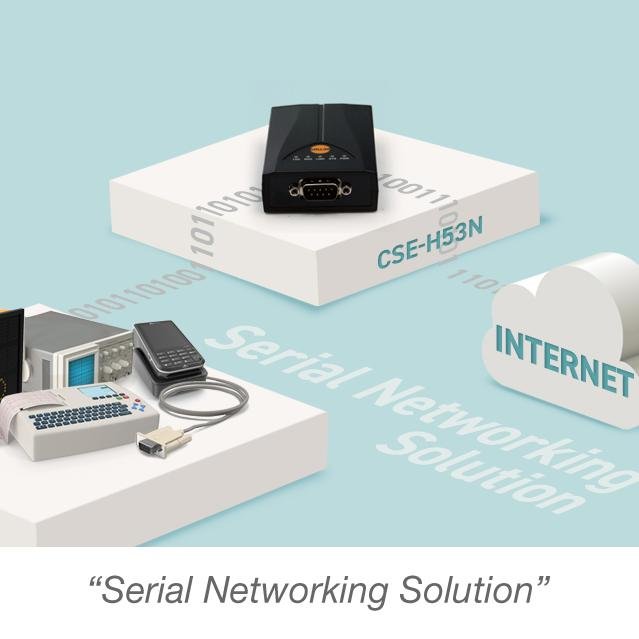
Sollae Systems ezTCP CSE-H53N Industrial RS-232 to Ethernet Converter
Sollae Systems ezTCP CSE-H53N Industrial RS-232 to Ethernet Converter
Couldn't load pickup availability
Transform your RS-232 serial devices into network-ready equipment with industrial-grade reliability and advanced IPv4 and IPv6 support.
The Sollae Systems ezTCP CSE-H53N is an industrial-grade RS232 serial-to-Ethernet converter designed for demanding environments. With support for both IPv4 and IPv6, industrial temperature range (-40°C to +85°C), and advanced features like SSL/TLS security and multiple simultaneous connections, the CSE-H53N delivers enterprise-level performance for mission-critical applications.
Why Choose the CSE-H53N?
🌐 Future-Proof IPv6 Support
Full IPv4/IPv6 dual stack implementation with stateless and stateful (DHCPv6) address auto-configuration. Ready for modern networks and future IPv6 deployments.
🏭 Industrial-Grade Reliability
Extreme temperature range (-40°C to +85°C) and robust design make this converter perfect for harsh industrial environments where consumer-grade equipment fails.
🔒 Enterprise Security
Built-in SSL/TLS encryption, IP/MAC filtering, and password protection ensure your serial data remains secure across the network.
🔄 Multiple Connection Support
Monitor and control from multiple locations simultaneously. Multiple clients can connect to a single CSE-H53N for distributed monitoring and control applications (firmware v2.3A or later).
⚡ High-Speed Performance
RS-232 support up to 230.4 kbps ensures fast, reliable data transfer for even the most demanding serial applications.
🎯 Flexible Configuration
Configure via Ethernet (ezManager), serial port, AT commands, or Telnet. Choose the method that works best for your deployment scenario.
CSE-H53N Technical Specifications
Serial Interface
Physical Interface:
- Port: 1 x RS-232 (DB9 Male connector)
- Signals: RXD, TXD, GND, RTS, CTS, DTR, DSR
- Maximum Baud Rate: 230.4 kbps
- Supported Baud Rates: 300, 600, 1200, 2400, 4800, 9600, 19200, 38400, 57600, 115200, 230400 bps
Serial Parameters:
- Data Bits: 8 bits, 7 bits (with parity)
- Parity: None, Even, Odd, Mark, Space
- Stop Bits: 1, 1.5, 2
- Flow Control: None, RTS/CTS, XON/XOFF
Pin Assignment (DB9 Male):
- Pin 2: RXD (Receive Data) - Input
- Pin 3: TXD (Transmit Data) - Output
- Pin 4: DTR (Data Terminal Ready) - Output (Active during TCP connection)
- Pin 5: GND (Ground)
- Pin 6: DSR (Data Set Ready) - Input
- Pin 7: RTS (Request To Send) - Output
- Pin 8: CTS (Clear To Send) - Input
Network Interface
Ethernet:
- Port: 1 x RJ-45 (10/100 Mbps)
- Speed: 10Base-T or 100Base-TX (Auto-Sensing)
- Cable Detection: Auto MDI/MDIX (works with straight or crossover cables)
-
Connector LEDs:
- Green: Link status (On = connected, Blink = data activity)
- Yellow: Speed indicator (Off = 10Mbps, On = 100Mbps)
Network Protocols:
- IPv4: TCP, UDP, IP, ICMP, ARP, DHCP, PPPoE, DNS, DDNS
- IPv6: ICMPv6, TCPv6, UDPv6, IPv6 fragmentation
- IPv6 Configuration: Stateless and Stateful (DHCPv6) auto-configuration
- Management: Telnet, HTTP (ezManager)
- Advanced: Telnet COM Port Control Option (RFC 2217)
Communication Modes
TCP Server (T2S):
- Passive connection mode
- Waits for incoming TCP client connections
- Default local port: 1470
- Ideal for centralized monitoring applications
TCP Client (COD):
- Active connection mode
- Initiates connection to remote TCP server
- Configurable peer IP address and port
- Perfect for data logging and cloud integration
AT Command Mode (ATC):
- Control connections dynamically via AT commands
- Both active and passive connections supported
- Allows runtime configuration changes
- Patented Sollae Systems technology
UDP Mode (U2S):
- Connectionless communication
- Broadcast and multicast support
- Low-latency data transfer
- N:M topology (many-to-many communication)
Power Specifications
- Input Voltage: DC 5V ±0.5V (±10%)
- Current Consumption: 200mA typical
- Power Connector: DC jack (Outer: Ø3.5mm, Inner: Ø1.35mm)
- Protection: Over-current, reverse voltage, and surge protection
Environmental Specifications
- Operating Temperature: -40°C to +85°C (-40°F to 185°F)
- Storage Temperature: -40°C to +85°C
- Humidity: 5% to 95% RH, non-condensing
- Certifications: KC, CE, FCC Class A, RoHS compliant
Physical Specifications
- Dimensions: 89mm (W) x 57mm (L) x 24mm (H) (3.5" x 2.24" x 0.94")
- Weight: Approximately 65g (2.3 oz)
- Mounting: Desktop (compact footprint)
- Enclosure: Industrial-grade plastic housing
Status Indicators (LEDs)
Top Panel LEDs:
- PWR (Red): Power indicator (On = power supplied)
-
STS (Yellow): Status indicator
- Blinks every second = Obtaining IP address
- Blinks 4 times = No IP address (DHCP/PPPoE failure)
- On = TCP connection established
- Off = ISP mode
- Simultaneous blink with LINK/RXD/TXD = Serial Configuration mode
- LINK (Green): Ethernet link status (On = connected)
- RXD (Yellow): Ethernet receive activity (Blinks = receiving data)
- TXD (Green): Ethernet transmit activity (Blinks = transmitting data)
Serial Activity LEDs:
- Serial RXD (Yellow): Serial receive activity
- Serial TXD (Green): Serial transmit activity
Real-World Applications
🏭 Industrial Automation & SCADA
- Connect PLCs, RTUs, and industrial controllers to SCADA systems
- Remote monitoring and control of manufacturing equipment
- Building automation and energy management
- Factory floor data collection and distribution
- Process control and monitoring
🏥 Healthcare & Medical Equipment
- Network legacy diagnostic equipment and patient monitors
- Laboratory automation and LIMS integration
- Medical imaging device connectivity
- Hospital infrastructure management
- Remote equipment monitoring
🚂 Transportation & Infrastructure
- Railway signaling and control systems
- Traffic management and ITS applications
- Airport ground support equipment
- Parking management and access control
- Fleet management systems
⚡ Energy & Utilities
- Smart grid monitoring and control
- Substation automation
- Remote meter reading (AMR/AMI)
- Power distribution management
- Environmental monitoring stations
📡 Telecommunications
- Serial console access to network equipment
- Remote management of telecom infrastructure
- Base station monitoring and control
- Network operations center (NOC) equipment
🔬 Laboratory & Research
- Network analytical instruments and data loggers
- Automated testing equipment
- Quality control systems
- Research data acquisition
- Environmental monitoring
🏗️ Security & Access Control
- Card readers and access control panels
- CCTV camera control (PTZ)
- Intrusion detection systems
- Fire alarm panels
- Biometric sensors
💻 IT Infrastructure
- Serial console servers
- Out-of-band management
- KVM over IP applications
- Network equipment management
- Server room monitoring
As well as industrial environments, the CSE-H53N is ideal for diverse applications such as Advertisement Systems (LED Signboards over Internet), Remote Console Monitoring, and Control PLC over Internet.
What's in the Box
✓ CSE-H53N Serial to Ethernet Converter (1 unit)
✓ Quick Start Guide
✓ Software available for download:
- ezManager (Configuration utility for Windows)
- ezVSP (Virtual Serial Port driver for Windows)
- ezTerm (TCP/IP communication test tool)
- User manual (PDF)
All software is available for download from the Sollae Systems ezTCP website. See the link under the Technical Support & Resources section below.
Optional Accessories
+5V AC/DC Wall Mount Power Supply
Quick Setup Guide
Step 1: Physical Connections
- Connect your RS-232 device to the DB9 Male port
- Connect Ethernet cable to your network (straight or crossover - auto-detected)
- Connect 5V DC power adapter
- PWR LED will illuminate when powered on
Step 2: Network Configuration
Default Settings:
- IP Address: 10.1.0.1
- Subnet Mask: 255.0.0.0
- Local Port: 1470
- Communication Mode: TCP Server
- Baud Rate: 19,200 bps
- Data Format: 8-N-1 (8 data bits, No parity, 1 stop bit)
Configuration Methods:
Option A - ezManager (Recommended):
- Download and run ezManager (no installation required)
- Click [Search All] to discover CSE-H53N on your network
- Select the device by MAC address
- Configure network and serial parameters
- Click [Write] to save settings
- Device will reboot automatically
Option B - Serial Configuration:
- Connect RS-232 cable between PC and CSE-H53N
- Press function button for 1-3 seconds to enter Serial Configuration mode
- Open ezManager, select [Serial] tab
- Select COM port and click [Open]
- Click [Read] to load current settings
- Modify parameters as needed
- Click [Write] to save
Option C - AT Commands:
- Set communication mode to "AT Command" via ezManager
- Connect via serial terminal (115,200 bps, 8-N-1)
- Use AT commands to configure parameters
- Save with AT+PWP command
Step 3: Test Communication
- Use ezManager's [Simple Test] feature
- Configure TCP connection (IP address and port)
- Open serial port with matching parameters
- Send test data in both directions to verify operation
Total setup time: 5-10 minutes
Advanced Features & Capabilities
IPv6 Dual Stack Implementation
The CSE-H53N is fully IPv6-ready with comprehensive support:
IPv6 Features:
- Full IPv4/IPv6 dual stack operation
- Stateless address auto-configuration (SLAAC)
- Stateful address configuration (DHCPv6)
- IPv6 fragmentation support
- ICMPv6, TCPv6, UDPv6 protocols
- Seamless IPv4/IPv6 interoperability
Why IPv6 Matters:
- Future-proof your infrastructure
- Larger address space eliminates NAT complexity
- Improved security with IPsec integration
- Better support for mobile and IoT devices
- Simplified network configuration
Multiple Connection Support
Simultaneous Monitoring (Firmware v2.3A+):
- Multiple TCP clients can connect to one CSE-H53N simultaneously
- Perfect for distributed monitoring applications
- Each client receives the same serial data
- Ideal for redundant monitoring systems
- No additional hardware required
Use Cases:
- Multiple operators monitoring the same equipment
- Redundant data logging systems
- Distributed SCADA architectures
- Multi-site monitoring applications
SSL/TLS Security
Secure Socket Layer Protection:
- Encrypt serial data over the network
- Protect sensitive information in transit
- Industry-standard SSL/TLS protocols
- Certificate-based authentication
- Prevents eavesdropping and tampering
Security Features:
- IP address filtering (whitelist/blacklist)
- MAC address filtering
- Password-protected configuration
- Secure firmware updates
- Access control lists
Packet Fragmentation Control
Separator Settings:
- Define custom packet delimiters
- Control when data is transmitted over network
- Optimize for different protocols and applications
- Reduce network overhead
- Improve application-level parsing
Data Frame Interval:
- Configure timeout for packet assembly
- Balance real-time performance vs. network efficiency
- Adjustable from 0ms (immediate) to custom values
- Optimize for your specific application
Telnet COM Port Control (RFC 2217)
Remote Serial Port Control:
- Change serial parameters remotely over network
- Adjust baud rate, parity, data bits, stop bits
- Control flow control settings
- Monitor serial port status
- No physical access required
Benefits:
- Remote troubleshooting and diagnostics
- Dynamic serial parameter adjustment
- Centralized serial port management
- Reduced site visits and maintenance costs
Dynamic DNS (DDNS) Support
Always Accessible:
- Automatic DNS updates when IP address changes
- Use hostname instead of IP address
- Perfect for dynamic IP environments
- Supports major DDNS providers
- Simplified remote access
PPPoE Support
Direct Internet Connection:
- Connect directly to DSL/cable modems
- No router required for simple deployments
- Automatic authentication and connection
- Ideal for remote installations
- Reduced hardware costs
AT Command Mode
Patented Dynamic Control:
- Change connection parameters at runtime
- Establish/terminate connections via serial commands
- No device reboot required
- Perfect for applications requiring dynamic connectivity
- Unique Sollae Systems technology
AT Command Capabilities:
- Configure IP addresses and ports
- Establish TCP connections
- Control DHCP and PPPoE
- Set DNS servers
- Modify timeout values
- Save settings to flash memory
Software Suite
ezManager - Configuration Utility
Comprehensive Management Tool for Windows:
Features:
- No installation required (portable application)
- Automatic device discovery via MAC or IP address
- Intuitive graphical interface
- Real-time status monitoring
- Firmware update management
- Configuration backup and restore
- Simple test utility included
- Batch configuration for multiple devices
Configuration Methods:
- Via Ethernet (LAN)
- Via Serial port
- Remote configuration via Telnet
ezVSP - Virtual Serial Port Driver
Windows Virtual COM Port Driver:
Features:
- Creates virtual COM ports on Windows PC
- Legacy applications work without modification
- Supports multiple virtual ports
- Automatic reconnection on network interruption
- Compatible with Windows 7/8/10/11
- No application changes required
How It Works: The CSE-H53N appears as a local COM port on your Windows PC. Your existing serial software communicates with the virtual port, and ezVSP handles all network communication transparently.
ezTerm - Communication Test Tool
Simple TCP/IP Testing:
Features:
- Quick TCP/IP communication testing
- Both TCP and UDP support
- Server and client modes
- Hex and ASCII data display
- Data logging capabilities
- Perfect for troubleshooting
Smartphone Applications
Mobile Configuration:
- ezManager app available for iOS and Android
- Configure devices from your smartphone or tablet
- Monitor status remotely
- Perfect for field installations
- Free download from app stores
Operation Modes
Normal Mode
Standard Operation:
- For normal data communication
- Four communication modes available (TCP Server, TCP Client, AT Command, UDP)
- Configuration via ezManager or Telnet
- Real-time status monitoring
- Default operating mode
Serial Configuration Mode
Serial Port Configuration:
- Configure via RS-232 port
- Serial parameters: 115,200 bps, 8-N-1
- Use ezManager Serial tab
- No network connection required
- Perfect for initial setup or network troubleshooting
How to Enter:
- Press function button for 1-3 seconds
- All LEDs (STS, LINK, RXD, TXD) blink simultaneously
- Connect via serial port at 115,200 bps
ISP Mode (In-System Programming)
Firmware Updates:
- For upgrading firmware
- Bypass security settings (password recovery)
- Direct firmware upload via ezManager
- Factory reset capability
- Emergency recovery mode
How to Enter:
- Press function button for more than 3 seconds during power-on
- STS LED turns off
- Upload firmware via ezManager
Network Topology Examples
1:1 Direct Connection
[PC] ←→ [CSE-H53N] ←→ [Serial Device]Simple point-to-point connection for testing or isolated systems.
LAN Integration
[Network Switch] ←→ [CSE-H53N] ←→ [Serial Device]
←→ [PC 1]
←→ [PC 2]
Multiple PCs access one serial device over local network.
Internet Access via Router
[Internet] ←→ [Router] ←→ [CSE-H53N] ←→ [Serial Device]Remote access to serial devices from anywhere in the world.
Serial Tunneling
[Serial Device A] ←→ [CSE-H53N A] ←→ [Network] ←→ [CSE-H53N B] ←→ [Serial Device B]Extend serial connections over long distances via Ethernet.
Multiple Monitoring
←→ [Monitor PC 1]
[CSE-H53N] ←→ [Network] ←→ [Monitor PC 2]
←→ [Monitor PC 3]
Multiple clients simultaneously monitor one serial device (firmware v2.3A+).
Frequently Asked Questions
Q: What's the difference between the CSE-H53N and other serial converters?
A: The CSE-H53N offers industrial temperature range (-40°C to +85°C), full IPv6 support, SSL/TLS security, multiple simultaneous connections, and advanced features like AT command mode and RFC 2217 support. It's designed for professional and industrial applications requiring reliability and advanced functionality.
Q: Does the CSE-H53N support IPv6?
A: Yes! The CSE-H53N has full IPv4/IPv6 dual stack support with both stateless (SLAAC) and stateful (DHCPv6) address auto-configuration. It's fully ready for modern IPv6 networks.
Q: Can multiple computers access the serial device simultaneously?
A: Yes, with firmware version 2.3A or later, multiple TCP clients can connect to the CSE-H53N simultaneously. All connected clients receive the same serial data, perfect for distributed monitoring applications.
Q: What is AT Command mode?
A: AT Command mode is a patented Sollae Systems feature that allows you to control TCP/IP connections dynamically via serial AT commands. You can establish connections, change IP addresses, modify ports, and configure network parameters without rebooting the device.
Q: How do I configure the CSE-H53N?
A: You have multiple options: (1) ezManager via Ethernet, (2) ezManager via serial port, (3) AT commands via serial terminal, or (4) Telnet. Choose the method that works best for your deployment.
Q: What is the default IP address?
A: The default IP address is 10.1.0.1 with subnet mask 255.0.0.0. The default local port is 1470, and the default serial settings are 19,200 bps, 8-N-1.
Q: Can I use this outdoors?
A: The CSE-H53N is rated for industrial temperatures (-40°C to +85°C) but is not waterproof. For outdoor use, install in a weatherproof enclosure (NEMA 4X or IP65 rated).
Q: Does it support SSL/TLS encryption?
A: Yes, the CSE-H53N includes SSL/TLS support for secure data transmission over the network. This protects your serial data from eavesdropping and tampering.
Q: What operating systems are supported?
A: The device works with any OS that supports TCP/IP (Windows, Linux, macOS, Unix, etc.). The ezManager and ezVSP utilities are Windows-only, but you can configure via Telnet or AT commands from any platform.
Q: How do I update the firmware?
A: Use ezManager to upload new firmware. Enter ISP mode by pressing the function button for more than 3 seconds during power-on, then use ezManager's firmware update feature.
Q: What is RFC 2217 support?
A: RFC 2217 (Telnet COM Port Control Option) allows you to remotely change serial port parameters (baud rate, parity, data bits, etc.) over the network without physical access to the device.
Q: Can I use straight or crossover Ethernet cables?
A: Either! The CSE-H53N supports Auto MDI/MDIX, which automatically detects and adapts to both cable types.
Technical Support & Resources
Videos
CSE-H53N Introductory video
Share
