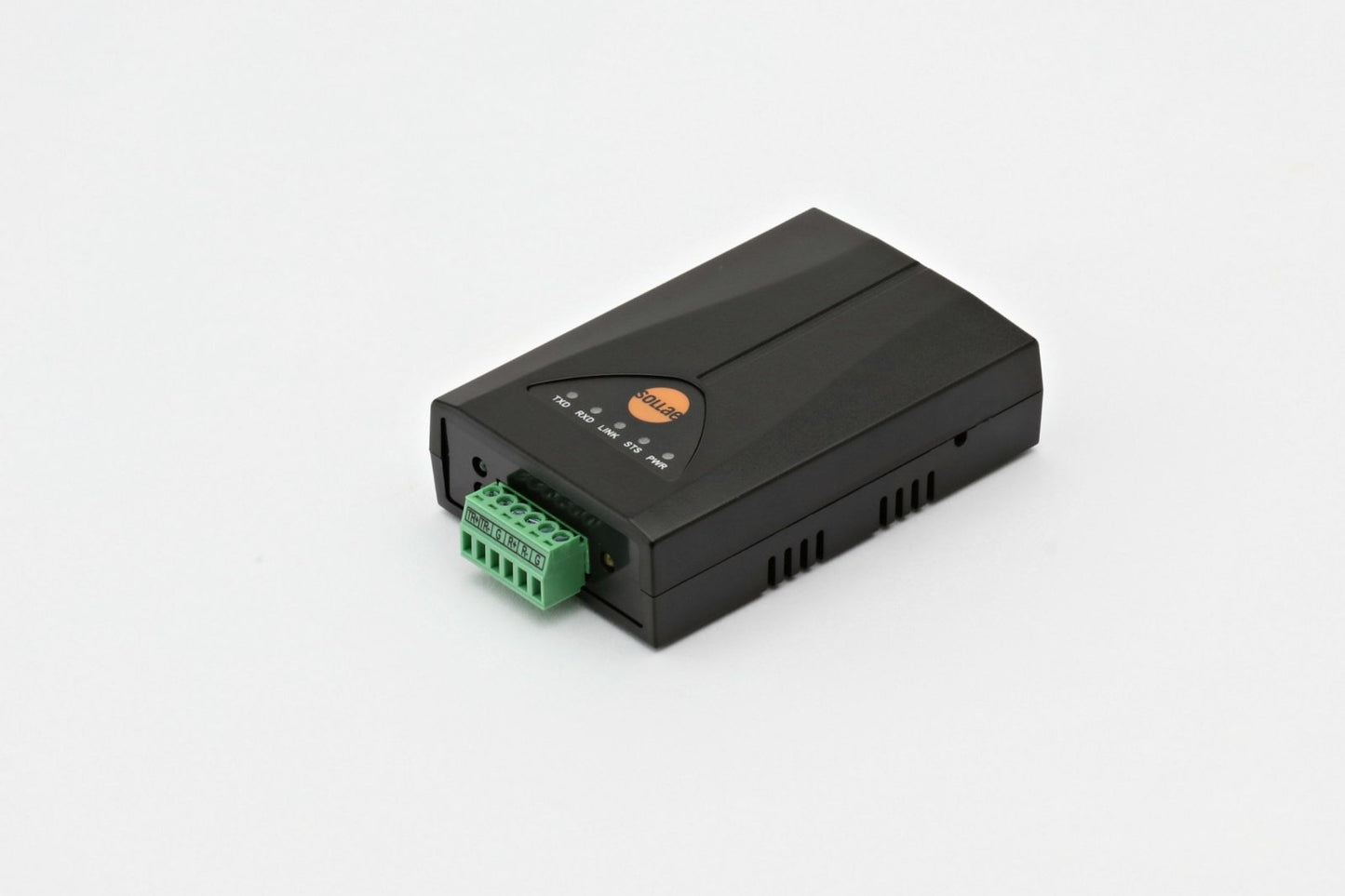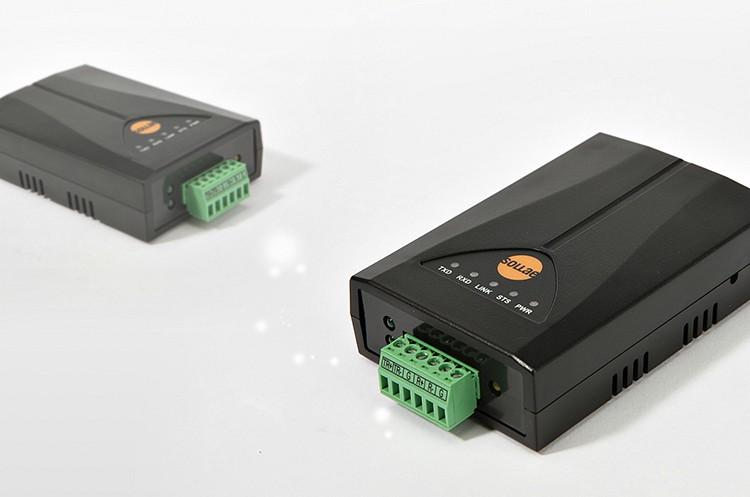
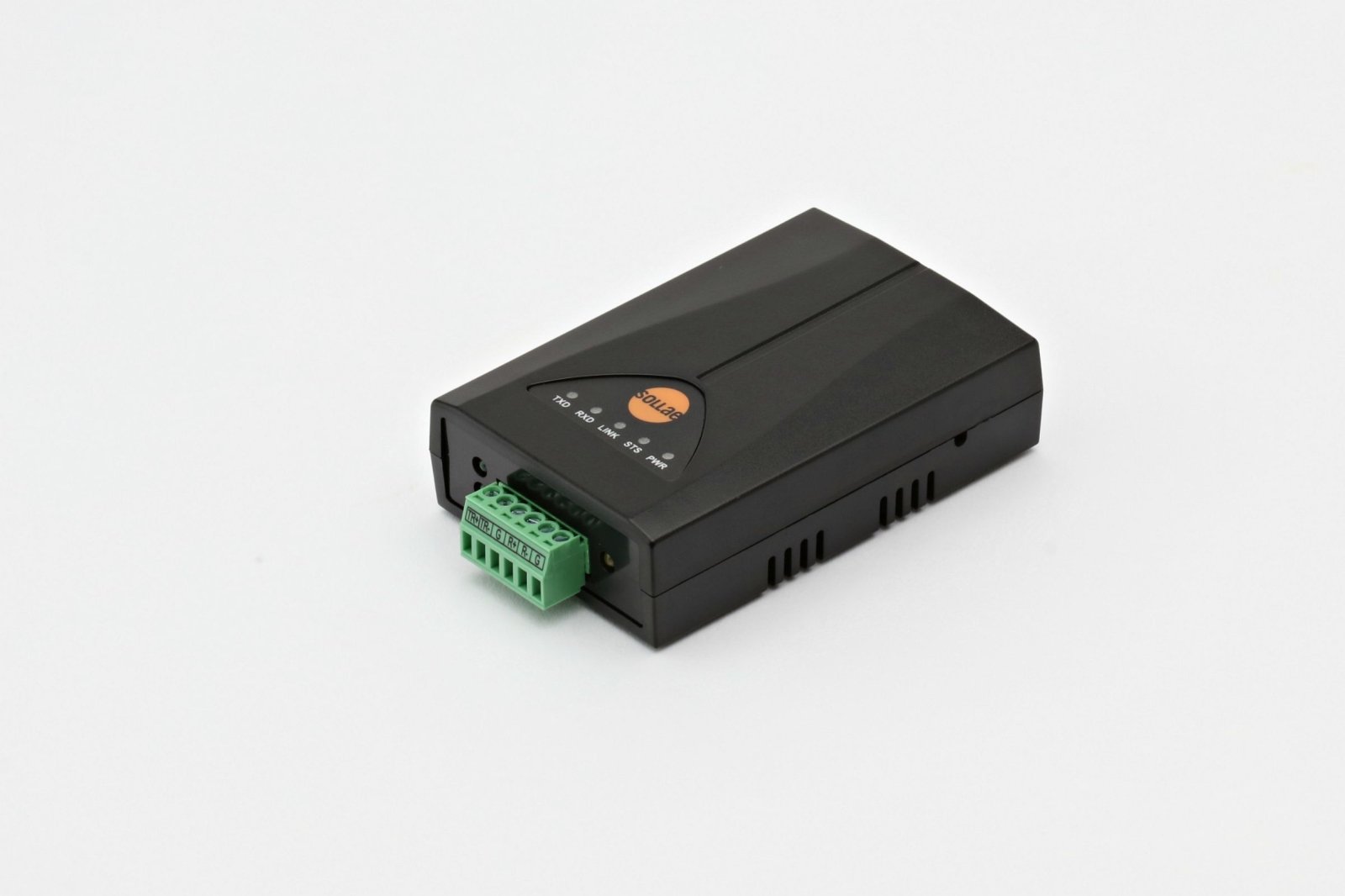
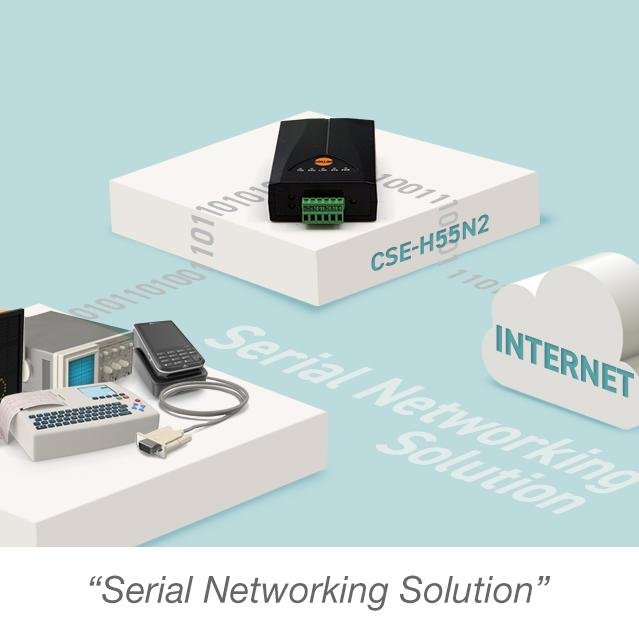
Sollae Systems ezTCP CSE-H55N2 Industrial RS-422/RS-485 to Ethernet Converter
Sollae Systems ezTCP CSE-H55N2 Industrial RS-422/RS-485 to Ethernet Converter
Couldn't load pickup availability
Professional-Grade Multi-Drop Serial Networking with IPv4/IPv6 Dual Stack Support: Transform your RS-422/RS-485 serial networks into IP-enabled infrastructure with industrial-grade reliability and advanced IPv4 and IPv6 support.
The Sollae Systems CSE-H55N2 is an industrial-grade RS-422/RS-485 to Ethernet converter designed for demanding multi-drop serial networks. With support for both IPv4 and IPv6, extreme temperature range (-40°C to +85°C), and advanced features like SSL/TLS security and multiple simultaneous connections, the CSE-H55N2 delivers enterprise-level performance for mission-critical industrial automation, SCADA, and building management systems.
Why Choose the CSE-H55N2?
🔄 RS-422/RS-485 Versatility
Support for both RS-422 (full-duplex, point-to-point or multi-drop) and RS-485 (half-duplex, multi-drop up to 32 devices). One converter handles all your long-distance serial networking needs up to 4,000 feet.
🌐 Future-Proof IPv6 Support
Full IPv4/IPv6 dual stack implementation with stateless and stateful (DHCPv6) address auto-configuration. Ready for modern networks and future IPv6 deployments with ICMPv6, TCPv6, and UDPv6 support.
🏭 Industrial-Grade Reliability
Extreme temperature range (-40°C to +85°C) and enhanced noise immunity make this converter perfect for harsh industrial environments. Upgraded from CSE-H55N with improved stability against electrical damage and noise on RS-422/485 lines.
🔒 Enterprise Security
Built-in SSL/TLS encryption, IP/MAC filtering, and password protection ensure your serial data remains secure across the network. Perfect for sensitive industrial control applications.
🔄 Multiple Connection Support
Monitor and control from multiple locations simultaneously. Multiple clients can connect to a single CSE-H55N2 for distributed monitoring and control applications (firmware v2.3A or later).
⚡ High-Speed Performance
RS-422/RS-485 support up to 230.4 kbps ensures fast, reliable data transfer for even the most demanding serial applications. Long-distance capability up to 4,000 feet (1,200m).
🛡️ Enhanced Protection
Embedded 3.9kΩ biasing resistors and TVS (Transient Voltage Suppression) protection on all serial lines. Over-current, reverse voltage, and surge protection on power input.
🎯 Flexible Configuration
Configure via Ethernet (ezManager), serial port, AT commands, or Telnet. Choose the method that works best for your deployment scenario. Mobile apps available for iOS and Android.
CSE-H55N2 Technical Specifications
Serial Interface
Physical Interface:
- Type: RS-422 or RS-485 (software selectable)
- Connector: 6-pin Terminal Block (3.5mm pitch)
- Protection: Embedded 3.9kΩ biasing resistors and TVS on all lines
- Maximum Distance: 4,000 feet (1,200m)
RS-422 Configuration:
- Signals: TX+, TX-, RX+, RX-, GND (2x)
- Mode: Full-duplex
- Topology: Point-to-point or multi-drop (1:N)
-
Pin Assignment:
- Pin 1: TX+ (Transmit Data +)
- Pin 2: TX- (Transmit Data -)
- Pin 3: GND (Ground)
- Pin 4: RX+ (Receive Data +)
- Pin 5: RX- (Receive Data -)
- Pin 6: GND (Ground)
RS-485 Configuration:
- Signals: TRX+, TRX-, GND (2x)
- Mode: Half-duplex
- Topology: Multi-drop (up to 32 devices)
-
Pin Assignment:
- Pin 1: TRX+ (Transmit/Receive Data +)
- Pin 2: TRX- (Transmit/Receive Data -)
- Pin 3: GND (Ground)
- Pin 6: GND (Ground)
Serial Parameters:
- Maximum Baud Rate: 230.4 kbps
- Supported Baud Rates: 300, 600, 1200, 2400, 4800, 9600, 19200, 38400, 57600, 115200, 230400 bps
- Data Bits: 8 bits, 7 bits (with parity)
- Parity: None, Even, Odd, Mark, Space
- Stop Bits: 1, 1.5, 2
- Flow Control: None, RTS/CTS
Note: When Data Bits is set to 7, NONE parity cannot be used.
Network Interface
Ethernet:
- Port: 1 x RJ-45 (10/100 Mbps)
- Speed: 10Base-T or 100Base-TX (Auto-Sensing)
- Cable Detection: Auto MDI/MDIX (works with straight or crossover cables)
-
Connector LEDs:
- Green: Link status (On = connected, Blink = data activity)
- Yellow: Speed indicator (Off = 10Mbps, On = 100Mbps)
Network Protocols:
- IPv4: TCP, UDP, IP, ICMP, ARP, DHCP, PPPoE, DNS, DDNS, Telnet
- IPv6: ICMPv6, TCPv6, UDPv6, IPv6 fragmentation
- IPv6 Configuration: Stateless and Stateful (DHCPv6) auto-configuration
- Security: SSL/TLS (Secure Socket Layer)
- Management: Telnet, HTTP (ezManager)
- Advanced: Telnet COM Port Control Option (RFC 2217)
Communication Modes
TCP Server (T2S):
- Passive connection mode
- Waits for incoming TCP client connections
- Default local port: 1470
- Ideal for centralized monitoring applications
TCP Client (COD):
- Active connection mode
- Initiates connection to remote TCP server
- Configurable peer IP address and port
- Perfect for data logging and cloud integration
AT Command Mode (ATC):
- Control connections dynamically via AT commands
- Both active and passive connections supported
- Allows runtime configuration changes
- Patented Sollae Systems technology
UDP Mode (U2S):
- Connectionless communication
- Broadcast and multicast support
- Low-latency data transfer
- N:M topology (many-to-many communication)
Power Specifications
- Input Voltage: DC 5V ±0.5V (±10%)
- Current Consumption: 190mA typical
- Power Connector: DC jack (Outer: Ø3.5mm, Inner: Ø1.35mm)
- Protection: Over-current, reverse voltage, and surge protection
Environmental Specifications
- Operating Temperature: -40°C to +85°C (-40°F to 185°F)
- Storage Temperature: -40°C to +85°C
- Humidity: 5% to 95% RH, non-condensing
- Certifications: KC, CE, FCC Class A, RoHS compliant
Physical Specifications
- Dimensions: 94mm (W) x 57mm (L) x 24mm (H) (3.7" x 2.24" x 0.94")
- Weight: Approximately 64g (2.26 oz)
- Mounting: Desktop (compact footprint)
- Enclosure: Industrial-grade plastic housing
Status Indicators (LEDs)
Top Panel LEDs:
- PWR (Red): Power indicator (On = power supplied)
-
STS (Yellow): Status indicator
- Blinks every second = Obtaining IP address
- Blinks 4 times = No IP address (DHCP/PPPoE failure)
- On = TCP connection established
- Off = ISP mode
- Simultaneous blink with LINK/RXD/TXD = Serial Configuration mode
- LINK (Green): Ethernet link status (On = connected)
- RXD (Yellow): Ethernet receive activity (Blinks = receiving data)
- TXD (Green): Ethernet transmit activity (Blinks = transmitting data)
Front Panel LEDs:
- Serial RXD (Yellow): Serial receive activity
- Serial TXD (Green): Serial transmit activity
Real-World Applications
🏭 Industrial Automation & SCADA
- Connect PLCs, RTUs, and industrial controllers to SCADA systems
- Multi-drop RS-485 networks for sensor arrays and I/O modules
- Remote monitoring and control of manufacturing equipment
- Building automation and energy management
- Factory floor data collection and distribution
- Process control and monitoring
⚡ Energy & Utilities
- Smart grid monitoring and control
- Substation automation (IEC 61850)
- Remote meter reading (AMR/AMI) via RS-485 networks
- Power distribution management
- Environmental monitoring stations
- Solar and wind farm monitoring
🏗️ Building Management Systems (BMS)
- HVAC control systems
- Lighting control networks
- Access control and security systems
- Fire alarm panels
- Energy management systems
- Multi-building campus networks
🚂 Transportation & Infrastructure
- Railway signaling and control systems
- Traffic management and ITS applications
- Airport ground support equipment
- Parking management systems
- Toll collection systems
- Fleet management
📡 Telecommunications
- Serial console access to network equipment
- Remote management of telecom infrastructure
- Base station monitoring and control
- Network operations center (NOC) equipment
- Multi-drop equipment monitoring
🔬 Laboratory & Research
- Network analytical instruments via RS-485
- Automated testing equipment
- Quality control systems
- Research data acquisition
- Environmental monitoring networks
🏥 Healthcare & Medical
- Laboratory automation systems
- Medical equipment networking
- Building management in healthcare facilities
- Environmental monitoring (temperature, humidity)
- Equipment status monitoring
💧 Water & Wastewater Treatment
- SCADA systems for water treatment plants
- Remote pump station monitoring
- Flow meter data collection
- Chemical dosing control
- Multi-site monitoring networks
As well as industrial environments, the CSE-H55N2 is ideal for serial RS-422 / RS-485 to Ethernet control of diverse applications such as:
- Solar Energy Management Systems
- Converting RS422/RS485 Systems to TCP/IP Networks
- Remote Controlling Pan Tilt Cameras
What's in the Box
✓ CSE-H55N2 RS-422/RS-485 to Ethernet Converter (1 unit)
✓ Quick Start Guide
✓ Software available for download:
- ezManager (Configuration utility for Windows)
- ezVSP (Virtual Serial Port driver for Windows)
- ezTerm (TCP/IP communication test tool)
- User manual (PDF)
- Datasheet (PDF)
All software is available for download from the Sollae Systems ezTCP website. See the link under the Technical Support & Resources section below.
Optional Accessories
+5V AC/DC Wall Mount Power Supply
Quick Setup Guide
Step 1: Physical Connections
For RS-422 (Full-Duplex):
- Connect TX+, TX-, RX+, RX- to terminal block pins 1, 2, 4, 5
- Connect GND to pins 3 and 6
- Configure as RS-422 in ezManager
For RS-485 (Half-Duplex):
- Connect TRX+, TRX- to terminal block pins 1, 2
- Connect GND to pins 3 and 6
- Configure as RS-485 in ezManager
- Enable termination resistors on first and last devices only
Network & Power:
- Connect Ethernet cable to your network (straight or crossover - auto-detected)
- Connect 5V DC power adapter
- PWR LED will illuminate when powered on
Step 2: Network Configuration
Default Settings:
- IP Address: 10.1.0.1
- Subnet Mask: 255.0.0.0
- Local Port: 1470
- Communication Mode: TCP Server
- Serial Type: RS-485
- Baud Rate: 19,200 bps
- Data Format: 8-N-1 (8 data bits, No parity, 1 stop bit)
Configuration Methods:
Option A - ezManager via Ethernet (Recommended):
- Download and run ezManager (no installation required)
- Click [MAC Address Search] or [IP Address Search] to discover CSE-H55N2
- Select the device
- Configure network, serial, and communication parameters
- Click [Write] to save settings
- Device will reboot automatically
Option B - Serial Configuration:
- Press function button for 1-3 seconds to enter Serial Configuration mode
- All LEDs (STS, LINK, RXD, TXD) blink simultaneously
- Open ezManager, select [Serial] tab
- Select COM port and click [Open]
- Click [Read] to load current settings
- Modify parameters as needed
- Click [Write] to save
Option C - AT Commands:
- Set communication mode to "AT Command" via ezManager
- Connect via serial terminal (matching baud rate, 8-N-1)
- Use AT commands to configure parameters
- Save with AT+PWP command
Step 3: Test Communication
- Use ezManager's [Simple Test] feature
- Configure TCP connection (IP address and port)
- Open serial port with matching parameters
- Send test data in both directions to verify operation
Total setup time: 5-10 minutes
Advanced Features & Capabilities
RS-422/RS-485 Flexibility
RS-422 Mode (Full-Duplex):
- Point-to-Point (1:1): Direct connection between two devices
- Multi-Drop (1:N): One master transmitter, multiple receivers
- Maximum Distance: 4,000 feet (1,200m)
- Advantages: Full-duplex, simultaneous bidirectional communication
- Use Cases: Long-distance point-to-point links, distributed monitoring
RS-485 Mode (Half-Duplex):
- Multi-Drop Network: Up to 32 devices on one bus
- Maximum Distance: 4,000 feet (1,200m)
- Topology: Daisy-chain (linear bus)
- Advantages: Multiple devices on single cable pair, cost-effective
- Use Cases: Modbus RTU, Profibus, BACnet MS/TP, building automation
Built-in Protection:
- 3.9kΩ Biasing Resistors: Embedded on all serial lines for idle state stability
- TVS Protection: Transient Voltage Suppression protects against electrical spikes
- Enhanced Noise Immunity: Upgraded design from CSE-H55N for improved stability
IPv6 Dual Stack Implementation
The CSE-H55N2 is fully IPv6-ready with comprehensive support:
IPv6 Features:
- Full IPv4/IPv6 dual stack operation
- Stateless address auto-configuration (SLAAC)
- Stateful address configuration (DHCPv6)
- IPv6 fragmentation support
- ICMPv6, TCPv6, UDPv6 protocols
- Seamless IPv4/IPv6 interoperability
Why IPv6 Matters:
- Future-proof your infrastructure
- Larger address space eliminates NAT complexity
- Improved security with IPsec integration
- Better support for IoT devices
- Simplified network configuration
Multiple Connection Support
Simultaneous Monitoring (Firmware v2.3A+):
- Multiple TCP clients can connect to one CSE-H55N2 simultaneously
- Perfect for distributed monitoring applications
- Each client receives the same serial data
- Ideal for redundant monitoring systems
- No additional hardware required
Use Cases:
- Multiple operators monitoring the same equipment
- Redundant data logging systems
- Distributed SCADA architectures
- Multi-site monitoring applications
- Backup monitoring stations
SSL/TLS Security
Secure Socket Layer Protection:
- Encrypt serial data over the network
- Protect sensitive information in transit
- Industry-standard SSL/TLS protocols
- Certificate-based authentication
- Prevents eavesdropping and tampering
Security Features:
- IP address filtering (whitelist/blacklist)
- MAC address filtering
- Password-protected configuration
- Secure firmware updates
- Access control lists
Packet Fragmentation Control
Separator Settings:
- Define custom packet delimiters
- Control when data is transmitted over network
- Optimize for different protocols and applications
- Reduce network overhead
- Improve application-level parsing
Data Frame Interval:
- Configure timeout for packet assembly
- Balance real-time performance vs. network efficiency
- Adjustable from 0ms (immediate) to custom values
- Optimize for your specific application
Telnet COM Port Control (RFC 2217)
Remote Serial Port Control:
- Change serial parameters remotely over network
- Adjust baud rate, parity, data bits, stop bits
- Control flow control settings
- Monitor serial port status
- No physical access required
Benefits:
- Remote troubleshooting and diagnostics
- Dynamic serial parameter adjustment
- Centralized serial port management
- Reduced site visits and maintenance costs
Dynamic DNS (DDNS) Support
Always Accessible:
- Automatic DNS updates when IP address changes
- Use hostname instead of IP address
- Perfect for dynamic IP environments
- Supports major DDNS providers
- Simplified remote access
PPPoE Support
Direct Internet Connection:
- Connect directly to DSL/cable modems
- No router required for simple deployments
- Automatic authentication and connection
- Ideal for remote installations
- Reduced hardware costs
AT Command Mode
Patented Dynamic Control:
- Change connection parameters at runtime
- Establish/terminate connections via serial commands
- No device reboot required
- Perfect for applications requiring dynamic connectivity
- Unique Sollae Systems technology
AT Command Capabilities:
- Configure IP addresses and ports
- Establish TCP connections
- Control DHCP and PPPoE
- Set DNS servers
- Modify timeout values
- Save settings to flash memory
Software Suite
ezManager - Configuration Utility
Comprehensive Management Tool for Windows:
Features:
- No installation required (portable application)
- Automatic device discovery via MAC or IP address
- Intuitive graphical interface
- Real-time status monitoring
- Firmware update management
- Configuration backup and restore
- Simple test utility included
- Batch configuration for multiple devices
Configuration Methods:
- Via Ethernet (LAN)
- Via Serial port
- Remote configuration via Telnet
ezVSP - Virtual Serial Port Driver
Windows Virtual COM Port Driver:
Features:
- Creates virtual COM ports on Windows PC
- Legacy applications work without modification
- Supports multiple virtual ports
- Automatic reconnection on network interruption
- Compatible with Windows 7/8/10/11
- No application changes required
How It Works: The CSE-H55N2 appears as a local COM port on your Windows PC. Your existing serial software communicates with the virtual port, and ezVSP handles all network communication transparently.
ezTerm - Communication Test Tool
Simple TCP/IP Testing:
Features:
- Quick TCP/IP communication testing
- Both TCP and UDP support
- Server and client modes
- Hex and ASCII data display
- Data logging capabilities
- Perfect for troubleshooting
Smartphone Applications
Mobile Configuration:
- ezManager app available for iOS and Android
- Configure devices from your smartphone or tablet
- Monitor status remotely
- Perfect for field installations
- Free download from app stores
RS-485 Network Configuration Guide
Termination Resistors
RS-485 networks require 120Ω termination resistors at both ends of the bus:
- Enable termination on the first and last devices only
- Disable termination on all middle devices
- Improper termination causes communication errors and reflections
- Use quality 120Ω resistors rated for your application
Biasing Resistors
The CSE-H55N2 includes embedded 3.9kΩ biasing resistors:
- Purpose: Maintain idle state voltage levels on the bus
- Benefit: Prevents false triggering and improves noise immunity
- Built-in: No external biasing resistors required
Wiring Best Practices
Cable Selection:
- Use twisted pair cable (Cat5e or better, or dedicated RS-485 cable)
- Shielded cable recommended in electrically noisy environments
- Characteristic impedance: 120Ω for proper termination
Topology:
- Use daisy-chain topology (linear bus)
- Avoid star topology (creates reflections)
- Keep stubs shorter than 1 meter
- Maximum bus length: 4,000 feet (1,200m)
Grounding:
- Connect GND at both ends (pins 3 and 6)
- Maintain proper grounding to prevent ground loops
- Use single-point ground when possible
- Shield grounding: Ground shield at one end only to prevent ground loops
Multi-Drop Addressing
For RS-485 networks with multiple devices:
- Each device needs a unique address (configured in serial device)
- CSE-H55N2 acts as transparent bridge (no addressing required)
- Use Modbus RTU, Profibus, BACnet MS/TP, or other multi-drop protocols
- Configure appropriate timeout values for polling applications
- Maximum devices: 32 per bus (standard RS-485 limit)
Signal Quality
Differential Signaling:
- RS-485 uses differential signaling (Data+ and Data-)
- Common-mode noise rejection: Excellent immunity to electrical interference
- Voltage levels: Typically ±200mV to ±6V differential
Noise Immunity:
- TVS protection: Built-in transient voltage suppression
- Biasing resistors: Embedded 3.9kΩ resistors for idle state stability
- Shielded cable: Use in high-EMI environments
RS-422 Network Configuration Guide
1:1 Configuration (Point-to-Point)
Standard RS-422 Connection:
- Connect TX+ to RX+, TX- to RX- on both ends
- Full-duplex communication
- Maximum distance: 4,000 feet (1,200m)
- No termination resistors required for short distances
- Use 120Ω termination for long distances or high speeds
1:N Configuration (Multi-Drop)
One Transmitter, Multiple Receivers:
- One CSE-H55N2 transmits (TX+, TX-)
- Multiple devices receive (RX+, RX-)
- Up to 10 receivers typical (depends on driver capability)
- Termination resistors at both ends of receive line
- Ideal for distributed monitoring applications
Signal Ground, Biasing, and Termination
Ground Connection:
- Connect GND (pins 3 and 6) at both ends
- Prevents ground potential differences
- Improves signal integrity
Biasing Resistors:
- Embedded 3.9kΩ biasing resistors included
- Maintains idle state voltage levels
- No external biasing required
Termination Resistors:
- 120Ω resistors at both ends of long cables
- Prevents signal reflections
- Required for high-speed or long-distance applications
Operation Modes
Normal Mode
Standard Operation:
- For normal data communication
- Four communication modes available (TCP Server, TCP Client, AT Command, UDP)
- Configuration via ezManager or Telnet
- Real-time status monitoring
- Default operating mode
Serial Configuration Mode
Serial Port Configuration:
- Configure via RS-422/485 port
- Use ezManager Serial tab
- No network connection required
- Perfect for initial setup or network troubleshooting
How to Enter:
- Press function button for 1-3 seconds
- All LEDs (STS, LINK, RXD, TXD) blink simultaneously
- Connect via serial port with matching parameters
ISP Mode (In-System Programming)
Firmware Updates:
- For upgrading firmware
- Bypass security settings (password recovery)
- Direct firmware upload via ezManager
- Factory reset capability
- Emergency recovery mode
How to Enter:
- Press function button for more than 3 seconds during power-on
- STS LED turns off
- Upload firmware via ezManager
Network Topology Examples
1:1 Direct Connection
[PC] ←→ [CSE-H55N2] ←→ [RS-422/485 Device]Simple point-to-point connection for testing or isolated systems.
LAN Integration
←→ [PC 1]
←→ [PC 2]
Multiple PCs access RS-485 multi-drop network over local network.
Internet Access via Router
[Internet] ←→ [Router] ←→ [CSE-H55N2] ←→ [RS-485 Network]Remote access to serial devices from anywhere in the world.
Serial Tunneling
[RS-485 Device A] ←→ [CSE-H55N2 A] ←→ [Network] ←→ [CSE-H55N2 B] ←→ [RS-485 Device B]Extend serial connections over long distances via Ethernet.
Multiple Monitoring
[CSE-H55N2] ←→ [Network] ←→ [Monitor PC 2]
←→ [Monitor PC 3]
Multiple clients simultaneously monitor one RS-485 network (firmware v2.3A+).
Multi-Drop RS-485 Network
↑ (Termination) (Termination)
|
[Ethernet Network]
Classic RS-485 multi-drop topology with up to 32 devices.
Frequently Asked Questions
Q: What's the difference between the CSE-H55N2 and the CSE-H53N?
A: The CSE-H55N2 supports RS-422/RS-485 (long-distance, multi-drop capable), while the CSE-H53N supports RS-232 only (short-distance, point-to-point). The CSE-H55N2 is ideal for industrial multi-drop networks up to 4,000 feet, while the CSE-H53N is for simple RS-232 device networking.
Q: What's the difference between the CSE-H55N2 and the original CSE-H55N?
A: The CSE-H55N2 is an upgraded version with improved stability against noise and electrical damage on RS-422/485 lines. It features enhanced protection with embedded TVS and better noise immunity. The software functionality remains the same.
Q: Can I use this for Modbus RTU networks?
A: Yes! The CSE-H55N2 is perfect for Modbus RTU over RS-485. It acts as a transparent bridge, allowing your Modbus master to communicate with up to 32 Modbus slave devices over Ethernet. The converter doesn't interpret Modbus protocol—it simply passes data transparently.
Q: How many devices can I connect on an RS-485 network?
A: Standard RS-485 supports up to 32 devices (unit loads) per bus. The CSE-H55N2 counts as one device. For larger networks, use RS-485 repeaters to extend beyond 32 devices.
Q: Do I need termination resistors?
A: Yes, RS-485 networks require 120Ω termination resistors at both ends of the bus (first and last devices). The CSE-H55N2 includes embedded biasing resistors but you must add external termination resistors at the bus ends.
Q: What's the maximum cable distance?
A: RS-422/RS-485 supports up to 4,000 feet (1,200m) at lower baud rates. At maximum baud rate (230.4 kbps), distance may be limited to 100-300 feet depending on cable quality and environmental noise.
Q: Does the CSE-H55N2 support IPv6?
A: Yes! The CSE-H55N2 has full IPv4/IPv6 dual stack support with both stateless (SLAAC) and stateful (DHCPv6) address auto-configuration. It's fully ready for modern IPv6 networks.
Q: Can multiple computers access the serial network simultaneously?
A: Yes, with firmware version 2.3A or later, multiple TCP clients can connect to the CSE-H55N2 simultaneously. All connected clients receive the same serial data, perfect for distributed monitoring applications.
Q: What is AT Command mode?
A: AT Command mode is a patented Sollae Systems feature that allows you to control TCP/IP connections dynamically via serial AT commands. You can establish connections, change IP addresses, modify ports, and configure network parameters without rebooting the device.
Q: How do I configure the CSE-H55N2?
A: You have multiple options: (1) ezManager via Ethernet, (2) ezManager via serial port, (3) AT commands via serial terminal, or (4) Telnet. Choose the method that works best for your deployment.
Q: What is the default IP address?
A: The default IP address is 10.1.0.1 with subnet mask 255.0.0.0. The default local port is 1470, serial type is RS-485, and the default serial settings are 19,200 bps, 8-N-1.
Q: Can I use this outdoors?
A: The CSE-H55N2 is rated for industrial temperatures (-40°C to +85°C) but is not waterproof. For outdoor use, install in a weatherproof enclosure (NEMA 4X or IP65 rated).
Q: Does it support SSL/TLS encryption?
A: Yes, the CSE-H55N2 includes SSL/TLS support for secure data transmission over the network. This protects your serial data from eavesdropping and tampering.
Q: What operating systems are supported?
A: The device works with any OS that supports TCP/IP (Windows, Linux, macOS, Unix, etc.). The ezManager and ezVSP utilities are Windows-only, but you can configure via Telnet or AT commands from any platform.
Technical Support & Resources
Videos
Sollae Systems ezTCP CSE-H55N2 Introductory video
Share