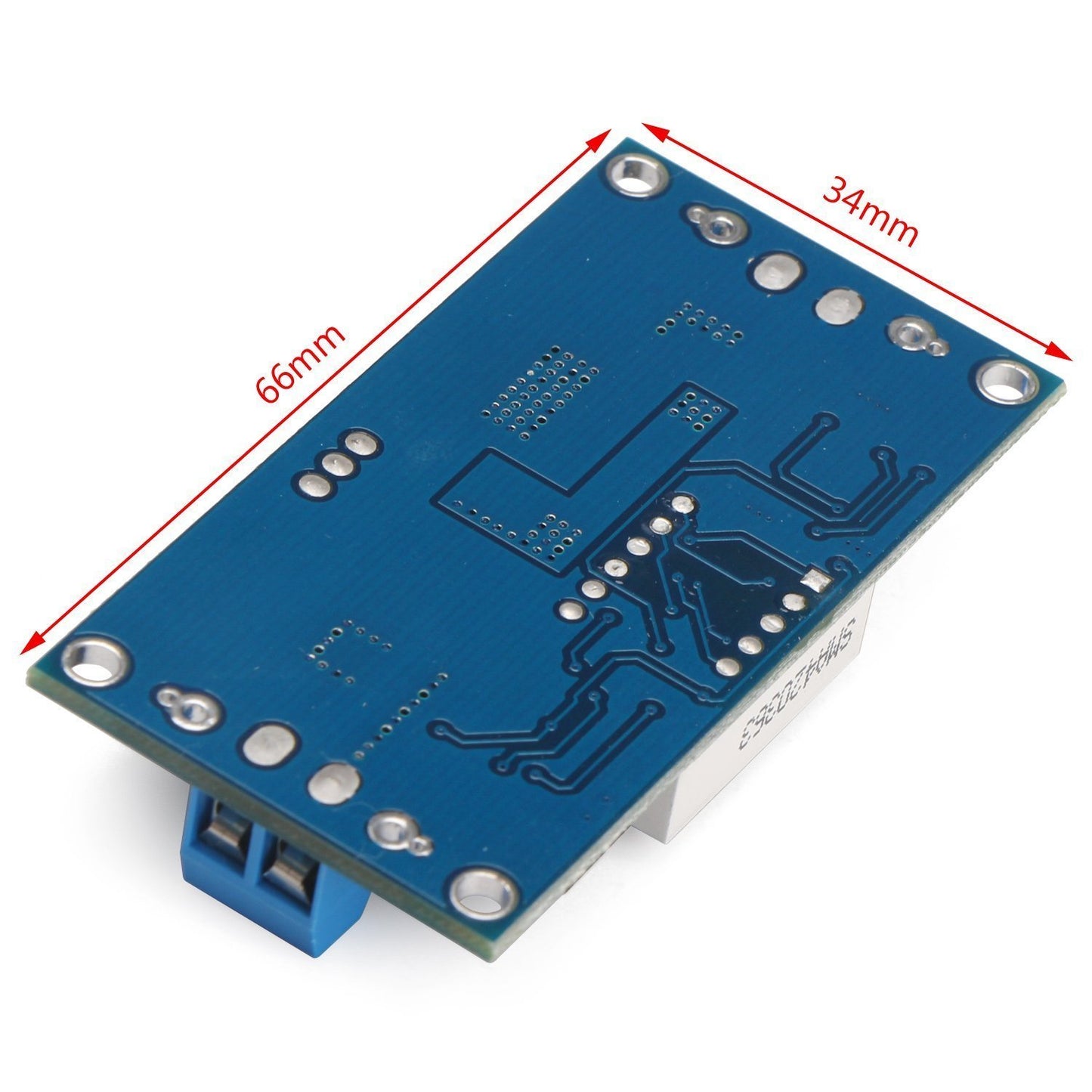
LM2596 1.25V - 35V Step-Down Buck DC-DC Converter Power Supply Module with LED Voltmeter
LM2596 1.25V - 35V Step-Down Buck DC-DC Converter Power Supply Module with LED Voltmeter
Couldn't load pickup availability
📋 Overview
The LM2596 DC-DC Step-Down Buck Converter with LED Voltmeter is a compact, adjustable voltage regulator module that efficiently converts a higher DC input voltage (4V–40V) down to a lower DC output voltage (1.25V–35V) at up to 3A. What sets this version apart is the built-in LED voltmeter display and screw terminals — monitor your input or output voltage at a glance without an external multimeter, and connect your wires quickly with no soldering required.
Simply turn the on-board potentiometer to dial in your desired output voltage, press the button to toggle the display between input and output voltage readings, and you're ready to go. This is the Constant Voltage (CV) only version — it does not include constant current control or a CC/CV charging mode.
⚠️ Important: The output voltage must always be set lower than the input voltage, with a minimum difference of approximately 1.5V. Always verify the output voltage before connecting your load. The built-in display is accurate to ±0.1V — for critical applications, confirm with an external multimeter.
⭐ Key Features
- Built-In LED Voltmeter: 3-digit red LED display monitors input or output voltage (0–40V range, ±0.1V accuracy) — no external multimeter needed for routine monitoring
- Display Toggle Button: Press to switch between input voltage (IN LED) and output voltage (OUT LED); press and hold to turn the display off
- Screw Terminals: Tool-friendly screw-type wiring terminals for both input and output — no soldering required. Solder pads also provided for permanent installations
- Wide Input Range: Accepts 4V to 40V DC input
- Adjustable Output: 1.25V to 35V DC via on-board multi-turn potentiometer
- Up to 3A Output Current: 2A continuous, 3A maximum (heatsink recommended above 2A)
- High Efficiency: Up to 92% conversion efficiency reduces heat and wasted energy
- 150 kHz Switching Frequency: Stable output with small filter components
- Simple Setup: No programming, no software — just wire, adjust, and go
📊 Specifications
| Module Type | DC-DC Step-Down (Buck) Converter with LED Voltmeter |
| Regulator IC | LM2596 |
| Input Voltage | 4V – 40V DC |
| Output Voltage | 1.25V – 35V DC (adjustable via potentiometer) |
| Output Current | 2A continuous, 3A maximum |
| Conversion Efficiency | Up to 92% |
| Switching Frequency | 150 kHz |
| Min Voltage Differential | ~1.5V (input must be at least 1.5V higher than output) |
| Output Ripple | ≤30 mV (typical) |
| LED Voltmeter Range | 0V – 40V DC |
| Voltmeter Accuracy | ±0.1V |
| Display Indicators | IN LED (input voltage displayed) / OUT LED (output voltage displayed) |
| Voltage Adjustment | On-board multi-turn potentiometer (clockwise = increase) |
| Connections | Screw terminals (IN+, IN−, OUT+, OUT−) with adjacent solder pads |
| Operating Temperature | -40°C to +85°C |
| Board Dimensions | Approx. 53 × 26 × 14 mm (2.09 × 1.02 × 0.55 inches) L × W × H |
🔧 On-Board Controls
LED Voltmeter Display
The built-in 3-digit red LED display and pushbutton give you three operating states:
| Action | Result | Indicator |
|---|---|---|
| Press button (toggle) | Switch between input and output voltage display | IN LED or OUT LED lights up |
| Press and hold button | Turn display off (converter continues operating) | Display goes dark |
| Press button (when off) | Turn display back on | Display illuminates |
Potentiometer
The multi-turn potentiometer sets the output voltage. Clockwise increases voltage; counterclockwise decreases it. The potentiometer may require up to 10 or more full rotations to sweep the full range — this is by design and gives you fine, precise control.
🚀 Getting Started
- Wire the input. Strip 5–7mm of insulation from your power source wires. Insert the positive wire into the IN+ screw terminal and the negative wire into IN−. Tighten with a small flathead screwdriver. Double-check polarity.
- Power on (no load). Turn on your power source. The LED display will illuminate. Do not connect anything to the output yet.
- Select output display. Press the pushbutton until the OUT LED is lit.
- Set the output voltage. Turn the potentiometer while watching the display. Dial in your target voltage.
- Wire the output. Turn off the input power. Connect your load's positive wire to OUT+ and negative wire to OUT−. Tighten the screw terminals.
- Power on and verify. Turn the input back on. Confirm the output voltage is at your set level under load.
💡 Tip: When decreasing the output voltage, you may need to turn the potentiometer counterclockwise for several full revolutions (up to 10 turns) before the voltage begins to drop. This is normal for a multi-turn potentiometer — keep turning.
🎯 Typical Applications
- Vehicle Electronics: Step down 12V car battery or 24V truck battery to 5V for USB devices, dash cameras, or GPS units
- Microcontroller Power Supply: Power Arduino, Raspberry Pi, or ESP boards from a higher-voltage battery or adapter
- Field/Portable Projects: The built-in display eliminates the need to carry a separate multimeter for voltage monitoring
- LED Lighting: Drive LED strips at a precise voltage with visual voltage confirmation
- Solar Projects: Regulate variable solar panel output to a stable voltage
- Battery-Powered Projects: Get a stable, lower voltage from a battery pack with real-time voltage monitoring
- Bench Power Supply: Use as the core of a simple adjustable bench supply with built-in voltage readout
- Educational/Training: The visible voltage display makes this module excellent for teaching DC-DC conversion concepts
🔌 Compatible With
- Arduino (Uno, Mega, Nano, and other boards)
- Raspberry Pi (set output to 5.1V)
- ESP32 / ESP8266 modules
- USB-powered devices (phones, tablets, accessories — set output to 5V)
- LED strips (5V or 12V)
- DC motors and fans
- Any DC-powered device requiring 1.25V–35V at up to 3A
📦 What's in the Box
- 1 × LM2596 DC-DC Step-Down Buck Converter Module with LED Voltmeter
Heatsink, multimeter, wires, screwdriver, and power source are not included.
⚠️ Important Notes
- Always set and verify the output voltage before connecting your load.
- The output must always be lower than the input. A minimum dropout of approximately 1.5V is required for proper regulation.
- Observe correct polarity — there is no reverse-polarity protection on this module.
- Do not exceed 40V on the input.
- For sustained loads above 2A, add a heatsink to the LM2596 IC and ensure adequate airflow.
- This module provides voltage regulation only — it does not include current limiting or constant-current (CC) mode.
- The built-in display is accurate to ±0.1V. For precision-critical applications, verify with an external multimeter.
- Turning the display off does not affect the converter's operation — it continues to regulate normally.
- The input power supply must be capable of providing the total power your load requires. If it can't, the converter will fold back (reduce) the output voltage.
- In permanent installations, consider securing the potentiometer screw with a small drop of nail polish or thread-lock to prevent vibration drift.
📄 Documentation & Resources
- LM2596 DC-DC Buck Converter with LED Voltmeter User Guide
- All Buck Converter Power Supply Module User Guides
Sold and supported by Envistia Mall. Ships from the USA. For wiring diagrams and troubleshooting, see the User Guide. The manufacturer and Envistia LLC (dba Envistia Mall) are not responsible for any damages or losses resulting from the use of this product. Always follow proper electrical safety practices when working with electronic components. Specifications are based on manufacturer data and are subject to change without notice.
Share