

Micro SD TF Memory Card Reader Module with SPI Interface For Arduino
Micro SD TF Memory Card Reader Module with SPI Interface For Arduino
Couldn't load pickup availability
📋 Overview
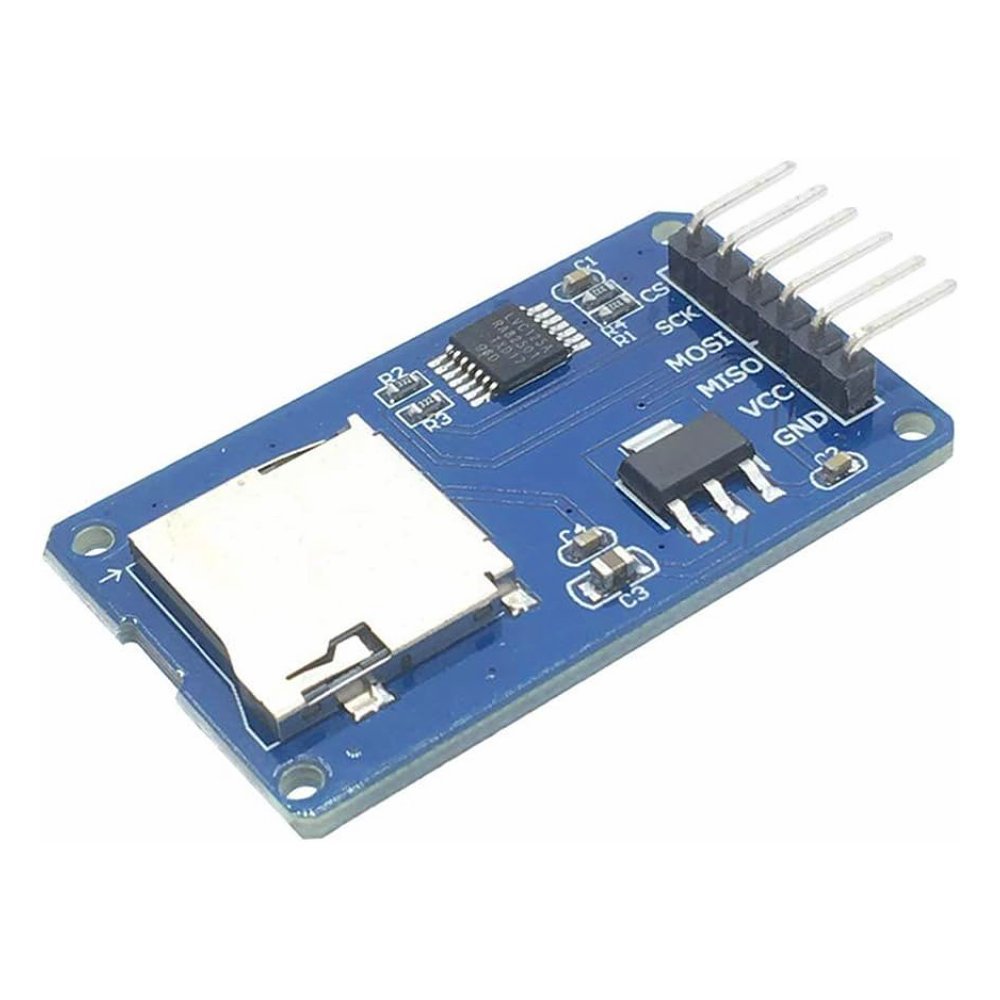
This Micro SD TF (TransFlash) card reader and writer module adds removable file storage to your Arduino or other microcontroller projects. It includes an onboard 3.3V voltage regulator and level shifters, making it safe to connect directly to both 5V and 3.3V microcontrollers.
The module communicates over the standard SPI bus and works with the built-in Arduino SD library — no extra libraries needed. Just insert a formatted Micro SD card, wire up four SPI lines plus power, and you're ready to create, read, and write files.
⭐ Key Features
- Wide Card Support — Works with Micro SD (up to 2 GB) and Micro SDHC (up to 32 GB) cards
- Onboard 3.3V Regulator — No external voltage regulator needed; just connect 5V and go
- Built-in Level Shifters — Safely interfaces with both 5V and 3.3V logic microcontrollers
- Standard SPI Interface — Uses MOSI, MISO, SCK, and CS for fast, reliable communication
- Arduino SD Library Compatible — Works with the built-in Arduino SD library right out of the box
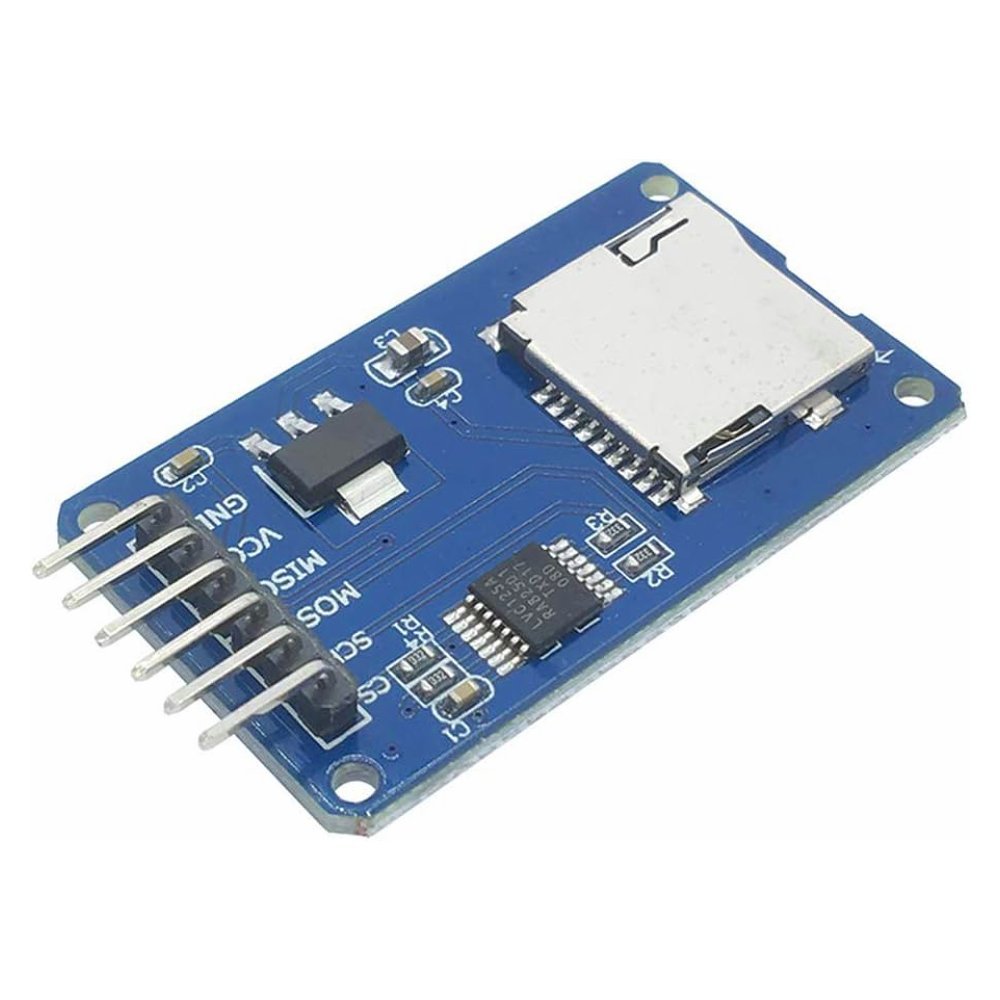
- Breadboard Friendly — 6-pin male right-angle header on 2.54mm centers plugs directly into a breadboard
- Mounting Holes — 4 × M2 holes (2.2mm diameter) for secure project installation
- LED Power Indicator — Confirms the module is receiving power
📊 Specifications
| Parameter | Value |
|---|---|
| Operating Voltage (VCC) | 4.5V – 5.5V DC |
| Logic Level | 3.3V and 5V compatible (onboard level shifters) |
| Communication Interface | SPI (Serial Peripheral Interface) |
| Supported Card Types | Micro SD (up to 2 GB), Micro SDHC (up to 32 GB) |
| Supported File Systems | FAT16, FAT32 |
| Onboard Regulator | AMS1117-3.3V or equivalent LDO |
| Level Shifter | 74LVC125A or equivalent |
| Header Pins | 6-pin male right-angle, 2.54mm pitch |
| Mounting Holes | 4 × M2 (2.2mm diameter) |
| Board Dimensions | Approx. 42 × 24 mm (1.65 × 0.94 inches) L × W |
| Operating Current | ~80 mA (read/write), ~100 µA (idle) |
📌 Pin Description
| Pin | Label | Description |
|---|---|---|
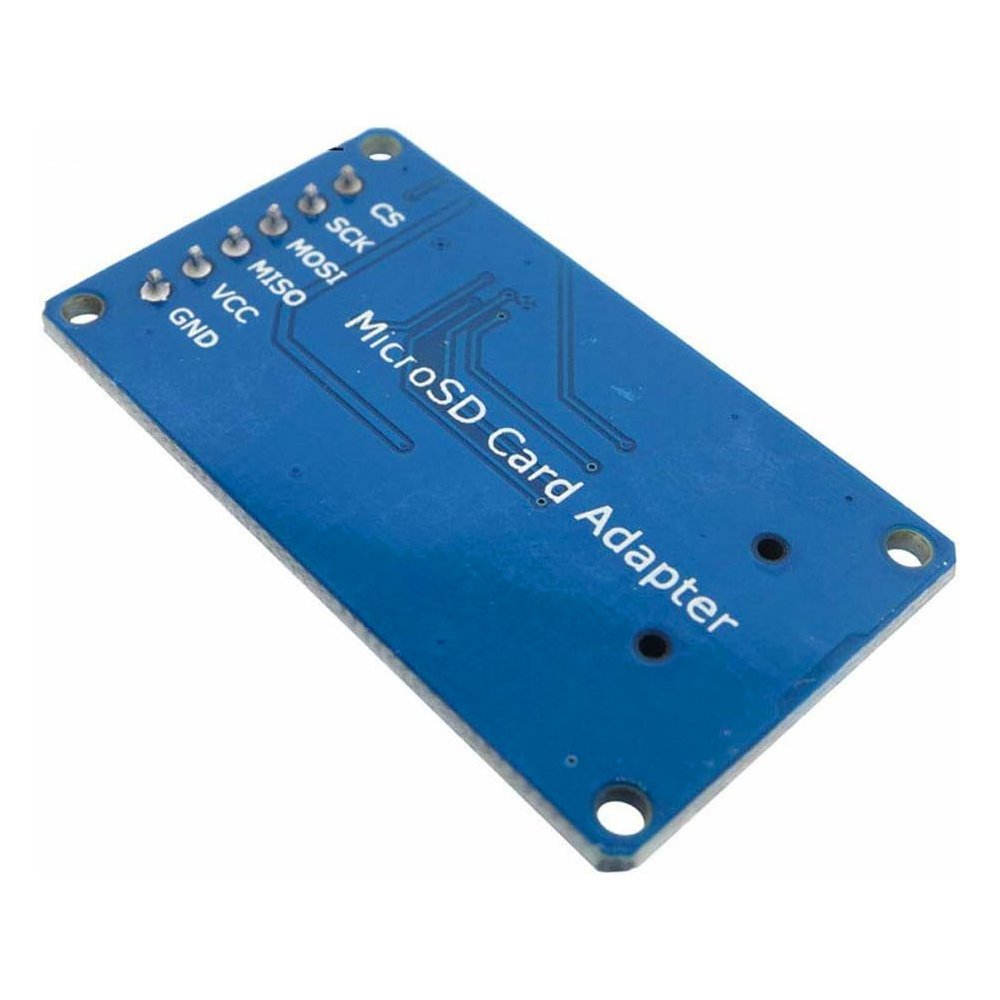
| 1 | GND | Ground — must share common ground with your microcontroller |
| 2 | VCC | Power input: 4.5V – 5.5V DC |
| 3 | MISO | SPI Master In, Slave Out — data from SD card to microcontroller |
| 4 | MOSI | SPI Master Out, Slave In — data from microcontroller to SD card |
| 5 | SCK | SPI Clock — clock signal from microcontroller |
| 6 | CS | SPI Chip Select — active LOW to select this device |
Note: Some versions of this module have a silkscreen error where MISO is labeled as "MOSO." The pin still functions as MISO — connect it to the MISO pin on your microcontroller.
🔌 Wiring to Arduino Uno
| Module Pin | Arduino Uno Pin |
|---|---|
| VCC | 5V |
| GND | GND |
| MISO | Pin 12 (MISO) |
| MOSI | Pin 11 (MOSI) |
| SCK | Pin 13 (SCK) |
| CS | Pin 10 (SS) |
Tip: The CS pin can be connected to any available digital pin — just update the pin number in your code. Pin 10 is the default used by the Arduino SD library. The MOSI, MISO, and SCK pins are fixed hardware SPI pins on the Uno and Nano and cannot be changed.
🎯 Typical Applications
- Sensor data logging (temperature, humidity, pressure, GPS coordinates)
- Storing configuration files for microcontroller projects
- Audio WAV file playback
- Image storage for TFT display projects
- GPS track logging
- Flight data recorders for drones and RC aircraft
- Portable measurement and test instruments
- Storing web pages for Arduino-based web servers
📦 What's in the Box
- 1x Micro SD Memory Card Reader/Writer Module with SPI Interface
Micro SD card, jumper wires, and Arduino board are not included.
🛒 What You'll Need
- Arduino Uno, Nano, or compatible board — or any microcontroller with SPI support
- Micro SD or Micro SDHC card — 32 GB or smaller, formatted as FAT32
- Jumper wires — female-to-male Dupont wires or a breadboard
- USB cable — to connect your Arduino to your computer for programming
🔌 Compatible With
- Arduino Uno, Nano, Mega, Leonardo, and other Arduino-compatible boards
- ESP32 and ESP8266 development boards
- STM32 microcontrollers
- Raspberry Pi Pico
- Any microcontroller with SPI support and 3.3V or 5V logic
⚠️ Important Notes
- Format your SD card as FAT16 or FAT32 before use. exFAT and NTFS are not supported by the Arduino SD library.
- SDXC cards (64 GB and larger) are not supported.
- The Arduino SD library supports filenames in 8.3 format only (e.g.,
DATALOG.CSV). Filenames must be 8 characters or fewer with a 3-character extension. - Always close files after writing with
myFile.close()to prevent data loss. - Do not remove the SD card while the Arduino is actively reading or writing — this can corrupt the file system.
- For best reliability, use name-brand SD cards (SanDisk, Samsung, Kingston) in the 4 GB – 16 GB range.
📄 Documentation & Resources
- User Manual & Hookup Guide
-
All Microcontroller Shield User & Hookup Guides
- Arduino SD Library Reference
Sold and supported by Envistia Mall. Ships from the USA. For wiring diagrams, sample code, and troubleshooting, see the User Guide link on this product page. The manufacturer and Envistia LLC (dba Envistia Mall) are not responsible for any damages or losses resulting from the use of this product. Always follow proper electrical safety practices when working with electronic components. Specifications are based on manufacturer data and are subject to change without notice.
Share