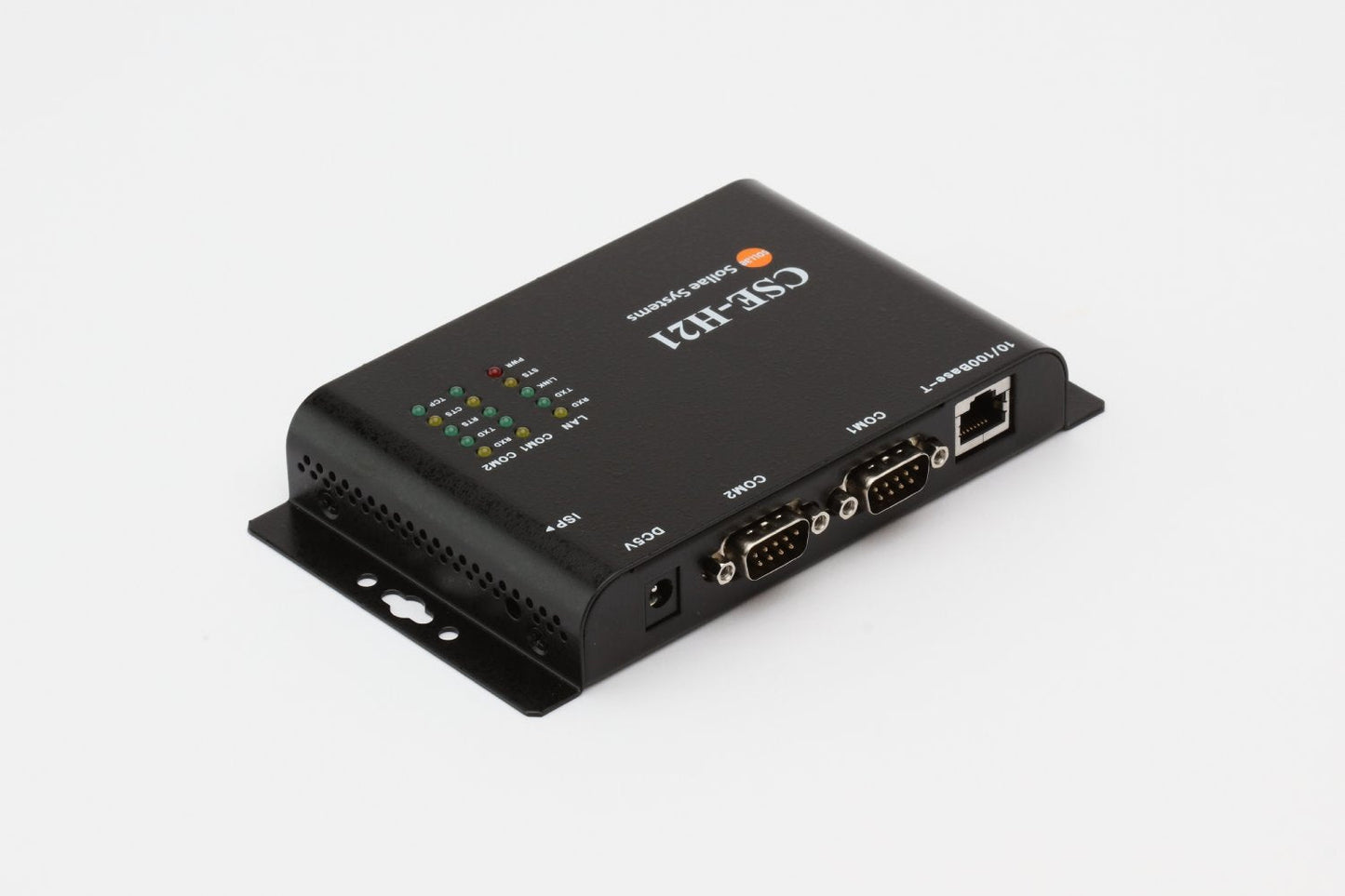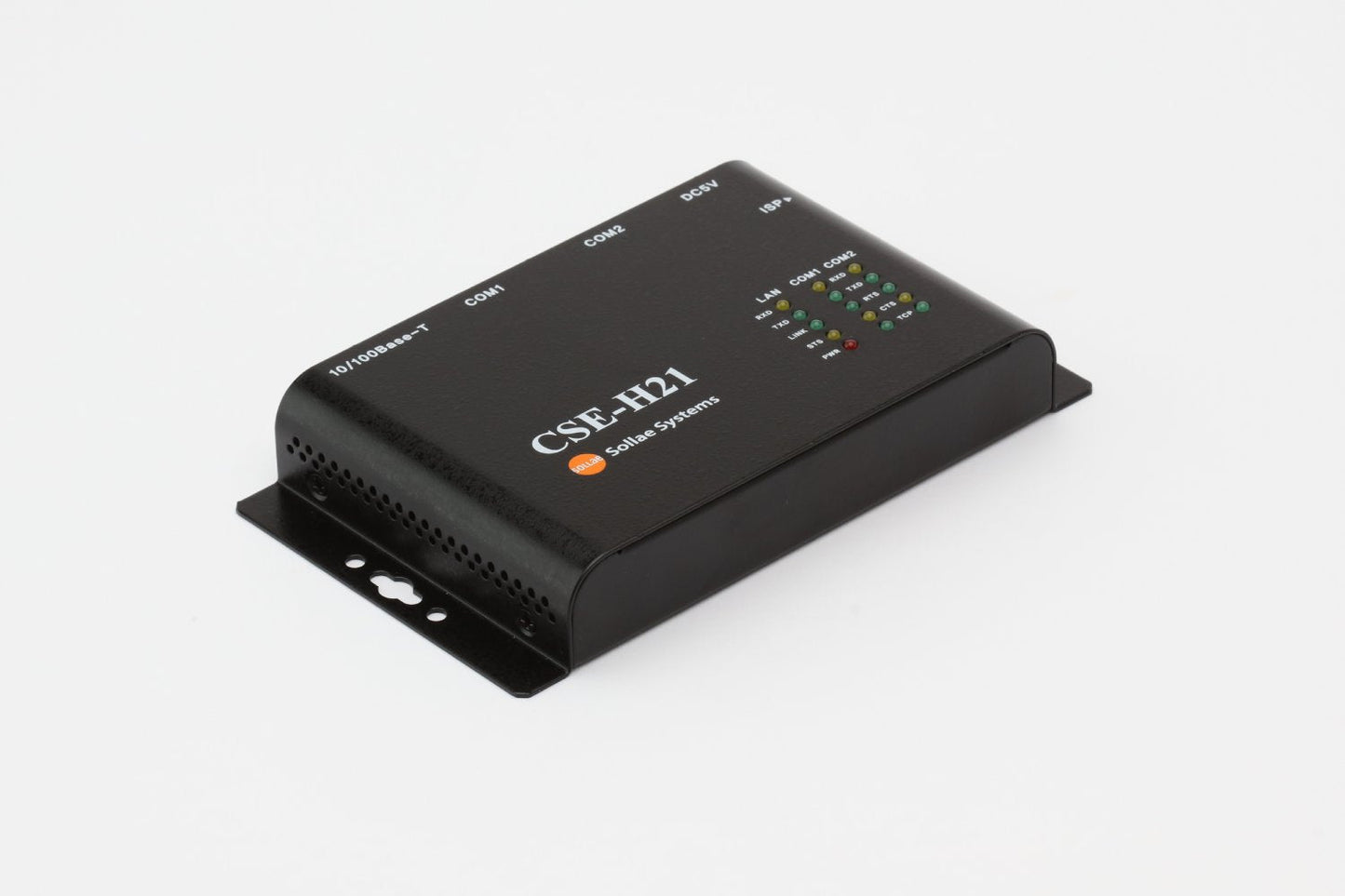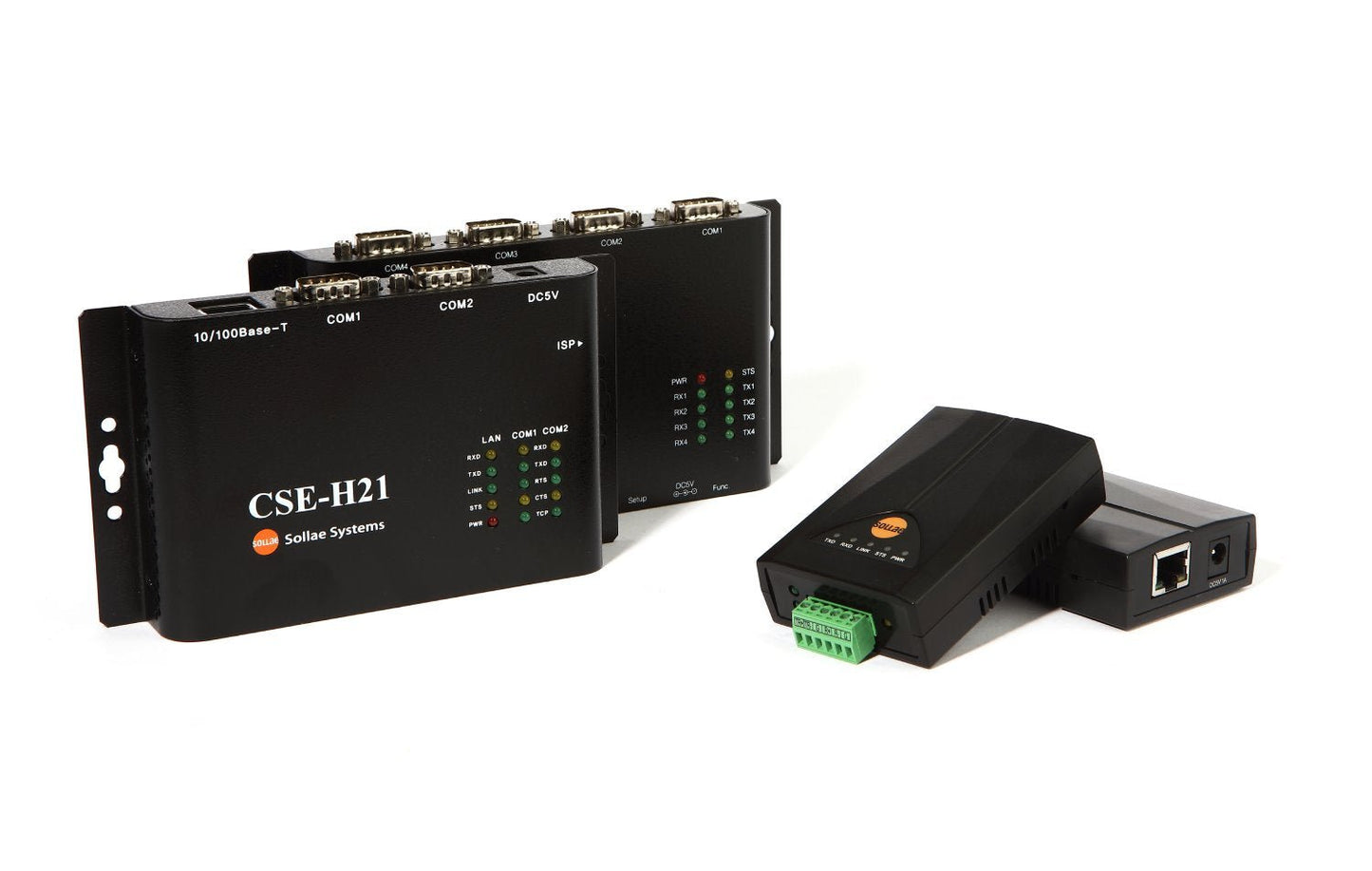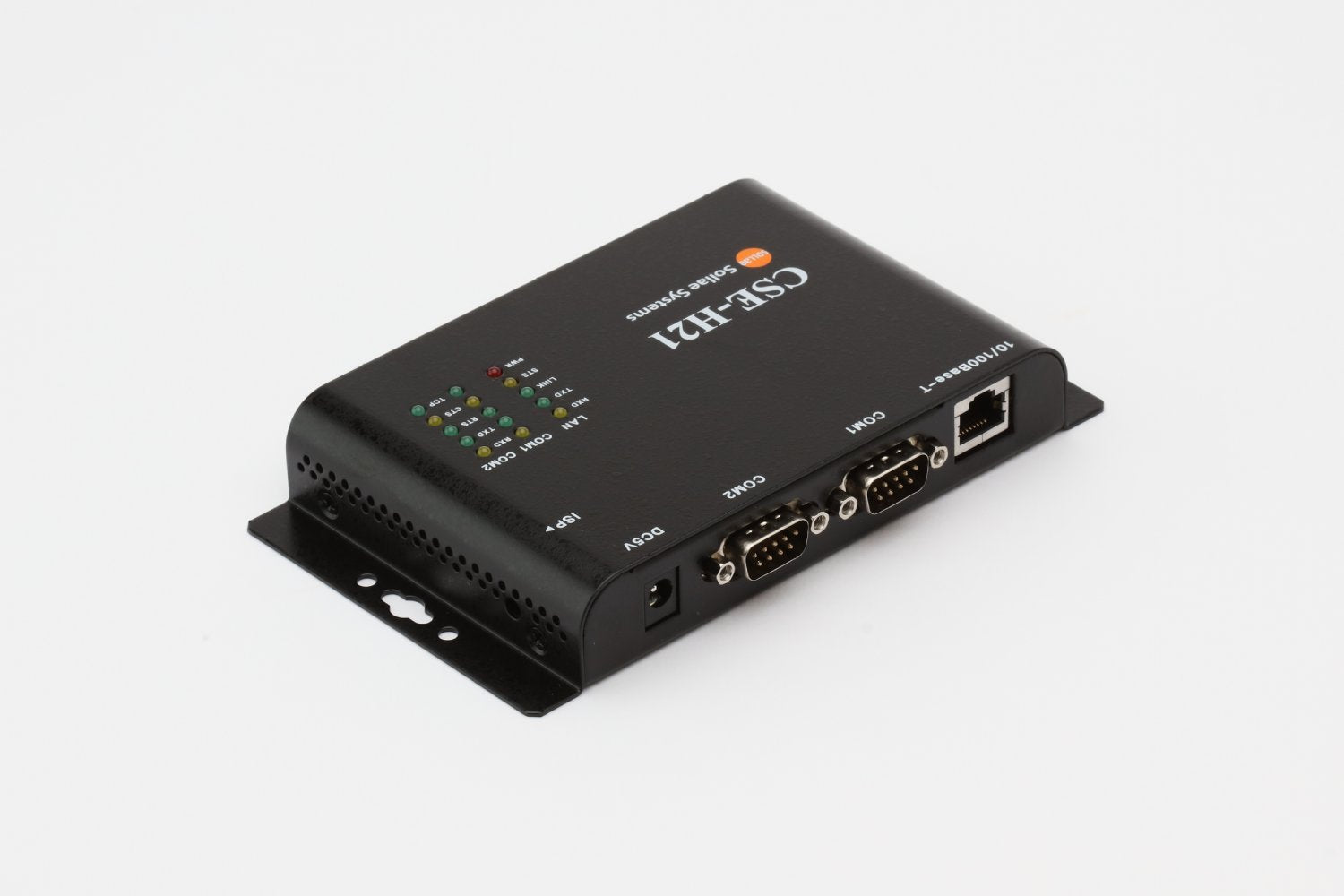
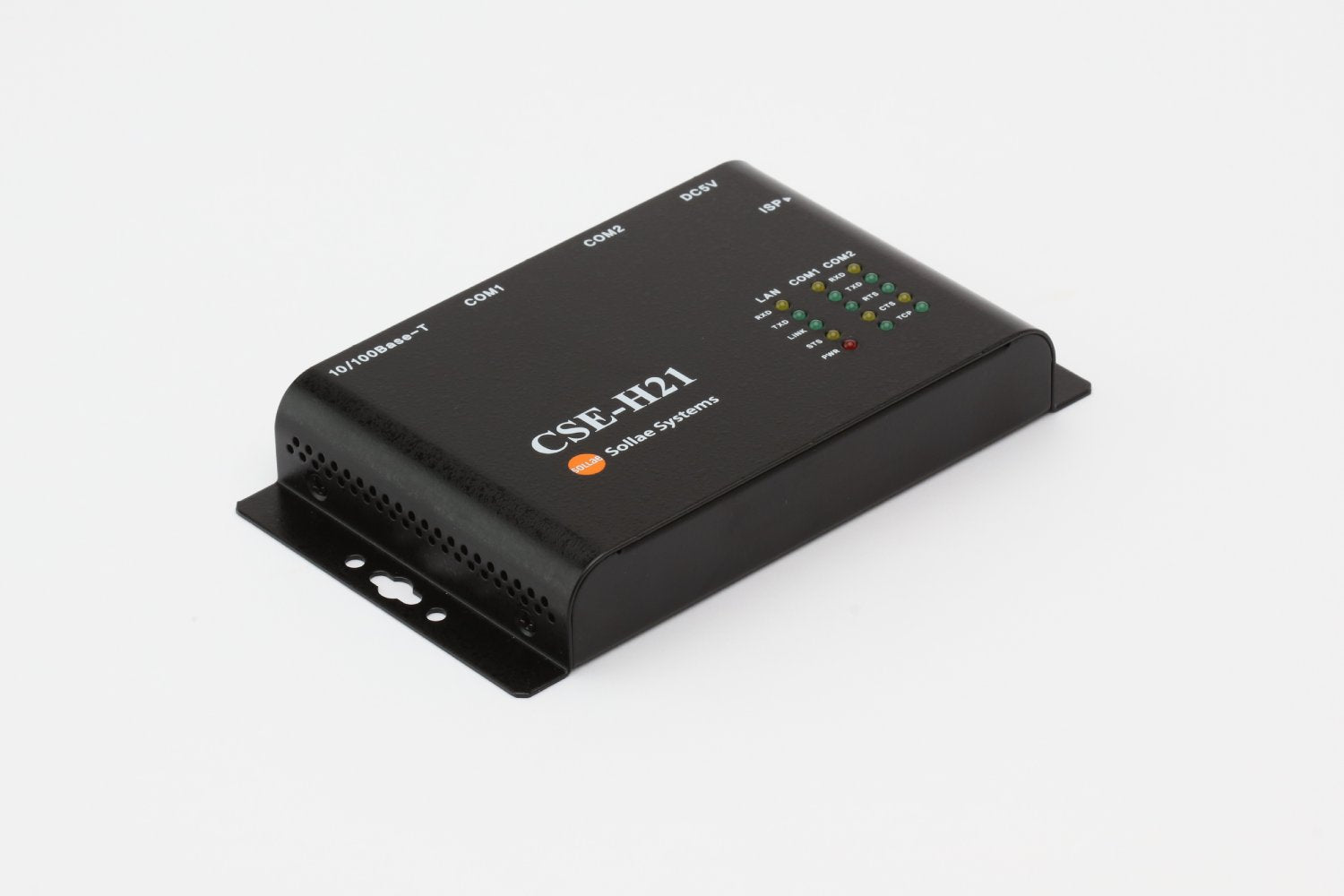
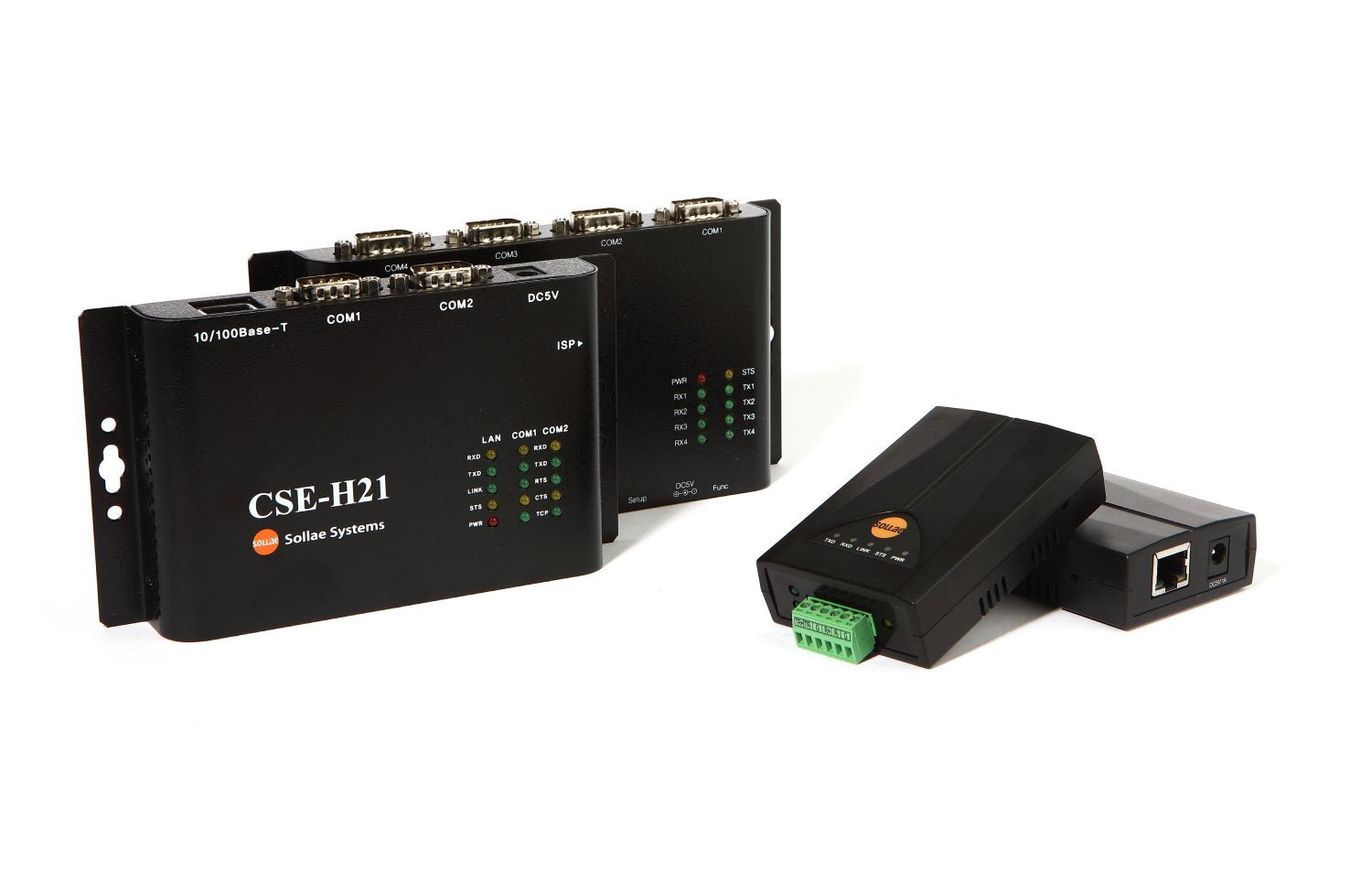
Sollae Systems CSE-H21 Industrial 2-Port Serial RS-232 to Ethernet Converter
Sollae Systems CSE-H21 Industrial 2-Port Serial RS-232 to Ethernet Converter
Couldn't load pickup availability
Professional Dual-Port Serial Networking with IPv4/IPv6 and Enhanced Security: Transform two RS-232 serial devices into network-ready equipment with industrial-grade reliability, isolated ports, and advanced IPv6 support.
The Sollae Systems CSE-H21 is an industrial-grade 2-port RS-232 to Ethernet converter designed for demanding environments requiring multiple serial device connectivity. With support for both IPv4 and IPv6, electronically isolated serial ports, industrial temperature range (-40°C to +70°C), durable steel enclosure, and advanced security features including SSL/TLS and SSH, the CSE-H21 delivers enterprise-level performance for mission-critical applications.
Why Choose the CSE-H21?
🔌 Dual RS-232 Ports
Two independent RS-232 ports in one compact device. Connect two serial devices to your network with a single converter, reducing hardware costs and simplifying installations.
🛡️ Electronically Isolated Ports
Each serial port is electronically isolated from the others and from the Ethernet port. This isolation provides superior noise immunity and prevents ground loops in industrial environments.
🏗️ Industrial Steel Enclosure
Durable steel case provides superior EMI shielding and physical protection compared to plastic housings. Built for harsh industrial environments where reliability is critical.
🌐 Future-Proof IPv6 Support
Full IPv4/IPv6 dual stack implementation with stateless and stateful (DHCPv6) address auto-configuration. Ready for modern networks and future IPv6 deployments.
🔒 Advanced Security
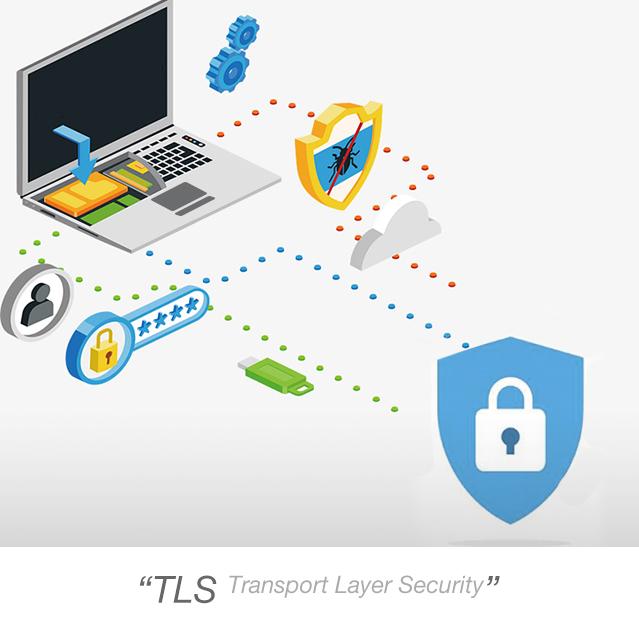
Multiple security layers including SSL 3.0/TLS 1.0, SSH 2.0, IP/MAC filtering, and password protection. Enterprise-grade security for sensitive industrial control applications.
🏭 Industrial-Grade Reliability
Operating temperature range of -40°C to +70°C and robust design make this converter perfect for harsh industrial environments where consumer-grade equipment fails.
🔄 Multiple Connection Support
Monitor and control from multiple locations simultaneously. Multiple clients can connect to each serial port for distributed monitoring and control applications (firmware v2.3A or later).
⚡ High-Speed Performance
RS-232 support up to 230.4 kbps on each port ensures fast, reliable data transfer for even the most demanding serial applications.
🎯 Flexible Configuration
Configure via Ethernet (ezManager), serial port, AT commands, or Telnet. Choose the method that works best for your deployment scenario.
CSE-H21 Technical Specifications
Serial Interface
Physical Interface:
- Ports: 2 x RS-232 (DB9 Male connectors)
- Isolation: Electronically isolated from each other and from Ethernet
- Signals (per port): RXD, TXD, GND, RTS, CTS, DTR, DSR
- Maximum Baud Rate: 230.4 kbps (per port)
- Supported Baud Rates: 300, 600, 1200, 2400, 4800, 9600, 19200, 38400, 57600, 115200, 230400 bps
Serial Parameters (per port):
- Data Bits: 8 bits, 7 bits (with parity)
- Parity: None, Even, Odd, Mark, Space
- Stop Bits: 1, 1.5, 2
- Flow Control: None, RTS/CTS, XON/XOFF
Pin Assignment (DB9 Male, per port):
- Pin 2: RXD (Receive Data) - Input
- Pin 3: TXD (Transmit Data) - Output
- Pin 4: DTR (Data Terminal Ready) - Output (Active during TCP connection)
- Pin 5: GND (Ground)
- Pin 6: DSR (Data Set Ready) - Input
- Pin 7: RTS (Request To Send) - Output
- Pin 8: CTS (Clear To Send) - Input
Note: When Data Bits is set to 7, NONE parity cannot be used.
Network Interface
Ethernet:
- Port: 1 x RJ-45 (10/100 Mbps)
- Speed: 10Base-T or 100Base-TX (Auto-Sensing)
- Cable Detection: Auto MDI/MDIX (works with straight or crossover cables)
-
Connector LEDs:
- Green: Link status (On = connected, Blink = data activity)
- Yellow: Speed indicator (Off = 10Mbps, On = 100Mbps)
Network Protocols:
- IPv4: TCP, UDP, IP, ICMP, ARP, DHCP, PPPoE, DNS, DDNS
- IPv6: ICMPv6, TCPv6, UDPv6, IPv6 fragmentation
- IPv6 Configuration: Stateless and Stateful (DHCPv6) auto-configuration
- Security: SSL 3.0/TLS 1.0, SSH 2.0
- Management: Telnet, HTTP (ezManager)
- Advanced: Telnet COM Port Control Option (RFC 2217)
Communication Modes (per port)
TCP Server (T2S):
- Passive connection mode
- Waits for incoming TCP client connections
- Default local ports: 1470 (Port 1), 1471 (Port 2)
- Ideal for centralized monitoring applications
TCP Client (COD):
- Active connection mode
- Initiates connection to remote TCP server
- Configurable peer IP address and port
- Perfect for data logging and cloud integration
AT Command Mode (ATC):
- Control connections dynamically via AT commands
- Both active and passive connections supported
- Allows runtime configuration changes
- Patented Sollae Systems technology
UDP Mode (U2S):
- Connectionless communication
- Broadcast and multicast support
- Low-latency data transfer
- N:M topology (many-to-many communication)
Power Specifications
- Input Voltage: DC 5V ±0.5V (±10%)
- Current Consumption: 300mA typical
- Power Connector: DC jack (Outer: Ø3.5mm, Inner: Ø1.35mm)
- Protection: Over-current, reverse voltage, and surge protection
Environmental Specifications
- Operating Temperature: -40°C to +70°C (-40°F to 158°F)
- Storage Temperature: -40°C to +85°C
- Humidity: 5% to 95% RH, non-condensing
- Certifications: KC, CE, FCC Class A, RoHS compliant
Physical Specifications
- Dimensions: 158mm (W) x 90mm (L) x 24mm (H) (6.22" x 3.54" x 0.94")
- Weight: Approximately 250g (8.82 oz)
- Mounting: Desktop or DIN-rail mountable (optional bracket)
- Enclosure: Industrial-grade steel case with EMI shielding
Status Indicators (LEDs)
Top Panel LEDs:
- PWR (Red): Power indicator (On = power supplied)
-
STS (Yellow): Status indicator
- Blinks every second = Obtaining IP address
- Blinks 4 times = No IP address (DHCP/PPPoE failure)
- On = TCP connection established (either port)
- Off = ISP mode
- Simultaneous blink with LINK/RXD/TXD = Serial Configuration mode
- LINK (Green): Ethernet link status (On = connected)
- RXD (Yellow): Ethernet receive activity (Blinks = receiving data)
- TXD (Green): Ethernet transmit activity (Blinks = transmitting data)
Front Panel LEDs (per port):
- Serial RXD (Yellow): Serial receive activity
- Serial TXD (Green): Serial transmit activity
Real-World Applications
🏭 Industrial Automation & SCADA
- Connect multiple PLCs, RTUs, and industrial controllers to SCADA systems
- Dual-port design reduces hardware costs for multi-device installations
- Remote monitoring and control of manufacturing equipment
- Building automation and energy management
- Factory floor data collection from multiple sources
- Process control and monitoring
💻 IT Infrastructure & Data Centers
- Serial console servers for network equipment
- Out-of-band management for servers and switches
- KVM over IP applications
- Network equipment management
- Server room monitoring (UPS, environmental sensors)
- Dual-device monitoring from single converter
📡 Telecommunications
- Serial console access to multiple network devices
- Remote management of telecom infrastructure
- Base station monitoring and control
- Network operations center (NOC) equipment
- Multi-device equipment racks
🏥 Healthcare & Medical Equipment
- Network legacy diagnostic equipment and patient monitors
- Laboratory automation and LIMS integration
- Medical imaging device connectivity
- Hospital infrastructure management
- Dual medical device networking
🚂 Transportation & Infrastructure
- Railway signaling and control systems
- Traffic management and ITS applications
- Airport ground support equipment
- Parking management and access control
- Fleet management systems
⚡ Energy & Utilities
- Smart grid monitoring and control
- Substation automation
- Remote meter reading (AMR/AMI)
- Power distribution management
- Environmental monitoring stations
- Dual-device power monitoring
🔬 Laboratory & Research
- Network analytical instruments and data loggers
- Automated testing equipment
- Quality control systems
- Research data acquisition
- Multi-instrument connectivity
🏗️ Security & Access Control
- Card readers and access control panels
- CCTV camera control (PTZ)
- Intrusion detection systems
- Fire alarm panels
- Dual-device security monitoring
The CSE-H21 RS232 to Ethernet Network Device Server can be used in diverse applications such as:
What's in the Box
✓ CSE-H21 2-Port RS-232 to Ethernet Converter (1 unit)
✓ Quick Start Guide
✓ Software available for download:
- ezManager (Configuration utility for Windows)
- ezVSP (Virtual Serial Port driver for Windows)
- ezTerm (TCP/IP communication test tool)
- User manual (PDF)
- Datasheet (PDF)
All software is available for download from the Sollae Systems ezTCP website. See the link under the Technical Support & Resources section below.
Optional Accessories
+5V AC/DC Wall Mount Power Supply
MOUNTER and BRACKET Pair for mounting with DIN Rails
Quick Setup Guide
Step 1: Physical Connections
- Connect your first RS-232 device to Port 1 (DB9 Male)
- Connect your second RS-232 device to Port 2 (DB9 Male)
- Connect Ethernet cable to your network (straight or crossover - auto-detected)
- Connect 5V DC power adapter
- PWR LED will illuminate when powered on
Step 2: Network Configuration
Default Settings:
- IP Address: 10.1.0.1
- Subnet Mask: 255.0.0.0
- Port 1 Local Port: 1470
- Port 2 Local Port: 1471
- Communication Mode: TCP Server (both ports)
- Baud Rate: 19,200 bps (both ports)
- Data Format: 8-N-1 (8 data bits, No parity, 1 stop bit)
Configuration Methods:
Option A - ezManager via Ethernet (Recommended):
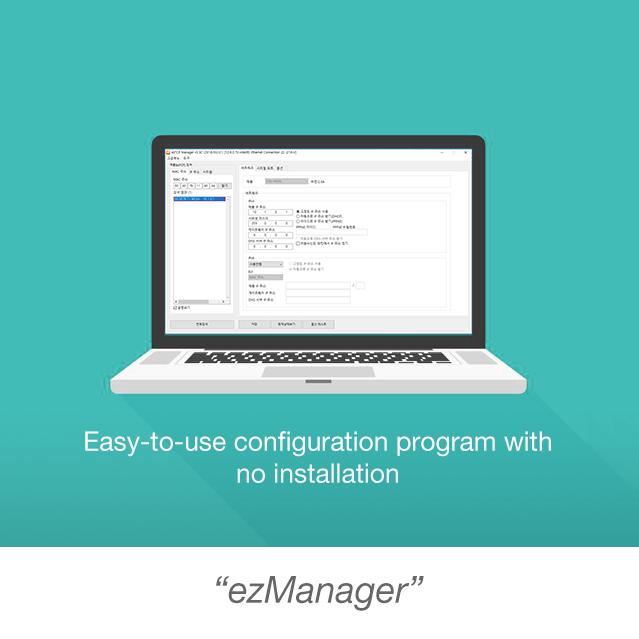
- Download and run ezManager (no installation required)
- Click [MAC Address Search] or [IP Address Search] to discover CSE-H21
- Select the device
- Configure network settings and parameters for each port independently
- Click [Write] to save settings
- Device will reboot automatically
Option B - Serial Configuration:
- Press function button for 1-3 seconds to enter Serial Configuration mode
- All LEDs (STS, LINK, RXD, TXD) blink simultaneously
- Open ezManager, select [Serial] tab
- Select COM port and click [Open]
- Click [Read] to load current settings
- Modify parameters as needed
- Click [Write] to save
Option C - AT Commands:
- Set communication mode to "AT Command" via ezManager
- Connect via serial terminal (matching baud rate, 8-N-1)
- Use AT commands to configure parameters
- Save with AT+PWP command
Step 3: Configure Each Port Independently
Each serial port can be configured with different settings:
- Port 1: Configure IP port, baud rate, data format, communication mode
- Port 2: Configure IP port, baud rate, data format, communication mode
- Ports operate independently and simultaneously
Step 4: Test Communication
- Use ezManager's [Simple Test] feature for each port
- Configure TCP connection (IP address and port)
- Open serial port with matching parameters
- Send test data in both directions to verify operation
Total setup time: 10-15 minutes
Advanced Features & Capabilities
Dual Independent Ports
Complete Independence:
- Each port operates completely independently
- Different baud rates, data formats, and communication modes per port
- Simultaneous operation of both ports
- No performance degradation when both ports active
Flexible Configuration:
- Port 1: TCP Server at 9600 bps for PLC monitoring
- Port 2: TCP Client at 115200 bps for data logging
- Mix and match modes and settings as needed
Use Cases:
- Monitor two different devices simultaneously
- One port for production, one for development/testing
- Different protocols on each port
- Redundant monitoring with different configurations
Electronic Isolation
Superior Noise Immunity:
- Each serial port is electronically isolated
- Isolation between serial ports and Ethernet port
- Prevents ground loops in industrial environments
- Protects against voltage spikes and surges
Benefits:
- Improved reliability in electrically noisy environments
- Protection against ground potential differences
- Reduced electromagnetic interference (EMI)
- Enhanced system stability
IPv6 Dual Stack Implementation
The CSE-H21 is fully IPv6-ready with comprehensive support:
IPv6 Features:
- Full IPv4/IPv6 dual stack operation
- Stateless address auto-configuration (SLAAC)
- Stateful address configuration (DHCPv6)
- IPv6 fragmentation support
- ICMPv6, TCPv6, UDPv6 protocols
- Seamless IPv4/IPv6 interoperability
Why IPv6 Matters:
- Future-proof your infrastructure
- Larger address space eliminates NAT complexity
- Improved security with IPsec integration
- Better support for IoT devices
- Simplified network configuration
Multiple Connection Support
Simultaneous Monitoring (Firmware v2.3A+):
- Multiple TCP clients can connect to each port simultaneously
- Perfect for distributed monitoring applications
- Each client receives the same serial data
- Ideal for redundant monitoring systems
- No additional hardware required
Use Cases:
- Multiple operators monitoring the same equipment
- Redundant data logging systems
- Distributed SCADA architectures
- Multi-site monitoring applications
- Backup monitoring stations
Enhanced Security
SSL 3.0/TLS 1.0:
- Encrypt serial data over the network
- Protect sensitive information in transit
- Industry-standard encryption protocols
- Certificate-based authentication
- Prevents eavesdropping and tampering
SSH 2.0:
- Secure shell protocol support
- Encrypted remote access
- Strong authentication mechanisms
- Secure configuration and management
Additional Security Features:
- IP address filtering (whitelist/blacklist)
- MAC address filtering
- Password-protected configuration
- Secure firmware updates
- Access control lists
Packet Fragmentation Control
Separator Settings:
- Define custom packet delimiters per port
- Control when data is transmitted over network
- Optimize for different protocols and applications
- Reduce network overhead
- Improve application-level parsing
Data Frame Interval:
- Configure timeout for packet assembly
- Balance real-time performance vs. network efficiency
- Adjustable from 0ms (immediate) to custom values
- Optimize for your specific application
Telnet COM Port Control (RFC 2217)
Remote Serial Port Control:
- Change serial parameters remotely over network
- Adjust baud rate, parity, data bits, stop bits
- Control flow control settings
- Monitor serial port status
- No physical access required
Benefits:
- Remote troubleshooting and diagnostics
- Dynamic serial parameter adjustment
- Centralized serial port management
- Reduced site visits and maintenance costs
Dynamic DNS (DDNS) Support
Always Accessible:
- Automatic DNS updates when IP address changes
- Use hostname instead of IP address
- Perfect for dynamic IP environments
- Supports major DDNS providers
- Simplified remote access
PPPoE Support
Direct Internet Connection:
- Connect directly to DSL/cable modems
- No router required for simple deployments
- Automatic authentication and connection
- Ideal for remote installations
- Reduced hardware costs
AT Command Mode
Patented Dynamic Control:
- Change connection parameters at runtime
- Establish/terminate connections via serial commands
- No device reboot required
- Perfect for applications requiring dynamic connectivity
- Unique Sollae Systems technology
AT Command Capabilities:
- Configure IP addresses and ports
- Establish TCP connections
- Control DHCP and PPPoE
- Set DNS servers
- Modify timeout values
- Save settings to flash memory
Software Suite
ezManager - Configuration Utility
Comprehensive Management Tool for Windows:
Features:
- No installation required (portable application)
- Automatic device discovery via MAC or IP address
- Intuitive graphical interface
- Real-time status monitoring for both ports
- Firmware update management
- Configuration backup and restore
- Simple test utility included
- Batch configuration for multiple devices
- Independent configuration for each port
Configuration Methods:
- Via Ethernet (LAN)
- Via Serial port (either port)
- Remote configuration via Telnet
ezVSP - Virtual Serial Port Driver
Windows Virtual COM Port Driver:
Features:
- Creates virtual COM ports on Windows PC
- Legacy applications work without modification
- Supports multiple virtual ports (one per physical port)
- Automatic reconnection on network interruption
- Compatible with Windows 7/8/10/11
- No application changes required
How It Works: Each CSE-H21 port appears as a local COM port on your Windows PC. Your existing serial software communicates with the virtual port, and ezVSP handles all network communication transparently.
ezTerm - Communication Test Tool
Simple TCP/IP Testing:
Features:
- Quick TCP/IP communication testing
- Both TCP and UDP support
- Server and client modes
- Hex and ASCII data display
- Data logging capabilities
- Perfect for troubleshooting
Smartphone Applications
Mobile Configuration:
- ezManager app available for iOS and Android
- Configure devices from your smartphone or tablet
- Monitor status remotely
- Perfect for field installations
- Free download from app stores
Operation Modes
Normal Mode
Standard Operation:
- For normal data communication
- Four communication modes available per port (TCP Server, TCP Client, AT Command, UDP)
- Configuration via ezManager or Telnet
- Real-time status monitoring
- Default operating mode
Serial Configuration Mode
Serial Port Configuration:
- Configure via either RS-232 port
- Serial parameters: 115,200 bps, 8-N-1
- Use ezManager Serial tab
- No network connection required
- Perfect for initial setup or network troubleshooting
How to Enter:
- Press function button for 1-3 seconds
- All LEDs (STS, LINK, RXD, TXD) blink simultaneously
- Connect via serial port at 115,200 bps
ISP Mode (In-System Programming)
Firmware Updates:
- For upgrading firmware
- Bypass security settings (password recovery)
- Direct firmware upload via ezManager
- Factory reset capability
- Emergency recovery mode
How to Enter:
- Press function button for more than 3 seconds during power-on
- STS LED turns off
- Upload firmware via ezManager
Network Topology Examples
Dual Device Monitoring
←→ Port 2 → [Serial Device B]
←→ [PC 1]
←→ [PC 2]
Multiple PCs access two serial devices over local network.
Mixed Mode Operation
←→ Port 2 (TCP Client) → [Data Logger] → Sends to cloud server
Different communication modes on each port for different applications.
Serial Console Server
←→ Port 2 → [Switch Console]
Out-of-band management for network equipment.
Redundant Monitoring
[CSE-H21 Port 1] ←→ [Network] ←→ [Monitor PC 2]
←→ [Monitor PC 3]
Multiple clients simultaneously monitor one serial device (firmware v2.3A+).
Internet Access via Router
←→ Port 2 → [Device B]
Remote access to both serial devices from anywhere in the world.
Frequently Asked Questions
Q: What's the difference between the CSE-H21 and the CSE-H53N?
A: The CSE-H21 has 2 RS-232 ports (vs 1 on CSE-H53N), electronically isolated ports, a steel enclosure (vs plastic), and slightly different operating temperature range (-40°C to +70°C vs -40°C to +85°C). The CSE-H21 is ideal when you need to connect two serial devices with one converter.
Q: Can each port be configured independently?
A: Yes! Each port has completely independent configuration. You can set different baud rates, data formats, communication modes, and network ports for each serial port. They operate simultaneously without interference.
Q: What does "electronically isolated" mean?
A: Electronic isolation means each serial port is electrically separated from the other port and from the Ethernet port. This prevents ground loops, reduces noise interference, and protects against voltage spikes. It's essential for reliable operation in industrial environments.
Q: Can I use both ports simultaneously?
A: Yes! Both ports operate completely independently and simultaneously. There's no performance degradation when both ports are active. You can have different devices on each port with different configurations.
Q: Does the CSE-H21 support IPv6?
A: Yes! The CSE-H21 has full IPv4/IPv6 dual stack support with both stateless (SLAAC) and stateful (DHCPv6) address auto-configuration. It's fully ready for modern IPv6 networks.
Q: Can multiple computers access each serial port simultaneously?
A: Yes, with firmware version 2.3A or later, multiple TCP clients can connect to each port simultaneously. All connected clients receive the same serial data, perfect for distributed monitoring applications.
Q: What security features does the CSE-H21 have?
A: The CSE-H21 includes SSL 3.0/TLS 1.0 encryption, SSH 2.0, IP/MAC filtering, and password-protected configuration. This provides enterprise-grade security for sensitive industrial control applications.
Q: What is AT Command mode?
A: AT Command mode is a patented Sollae Systems feature that allows you to control TCP/IP connections dynamically via serial AT commands. You can establish connections, change IP addresses, modify ports, and configure network parameters without rebooting the device.
Q: How do I configure the CSE-H21?
A: You have multiple options: (1) ezManager via Ethernet, (2) ezManager via serial port, (3) AT commands via serial terminal, or (4) Telnet. Choose the method that works best for your deployment.
Q: What are the default settings?
A: Default IP address is 10.1.0.1 with subnet mask 255.0.0.0. Port 1 uses local port 1470, Port 2 uses 1471. Both ports default to TCP Server mode, 19,200 bps, 8-N-1 data format.
Q: Can I use this outdoors?
A: The CSE-H21 is rated for industrial temperatures (-40°C to +70°C) but is not waterproof. For outdoor use, install in a weatherproof enclosure (NEMA 4X or IP65 rated).
Q: What operating systems are supported?
A: The device works with any OS that supports TCP/IP (Windows, Linux, macOS, Unix, etc.). The ezManager and ezVSP utilities are Windows-only, but you can configure via Telnet or AT commands from any platform.
Q: Can I mount this on a DIN rail?
A: Yes, the CSE-H21 supports DIN-rail mounting with an optional mounting bracket (sold separately).
Technical Support & Resources
Videos
Industrial 2-Port RS232 to Ethernet Device Server | CSE-H21
ezTCP Serial Networking Introductory video
Share