

Sollae Systems ezTCP CSE-M53G Embedded Serial to Ethernet Module RS232/RS422/RS485
Sollae Systems ezTCP CSE-M53G Embedded Serial to Ethernet Module RS232/RS422/RS485
No se pudo cargar la disponibilidad de retiro
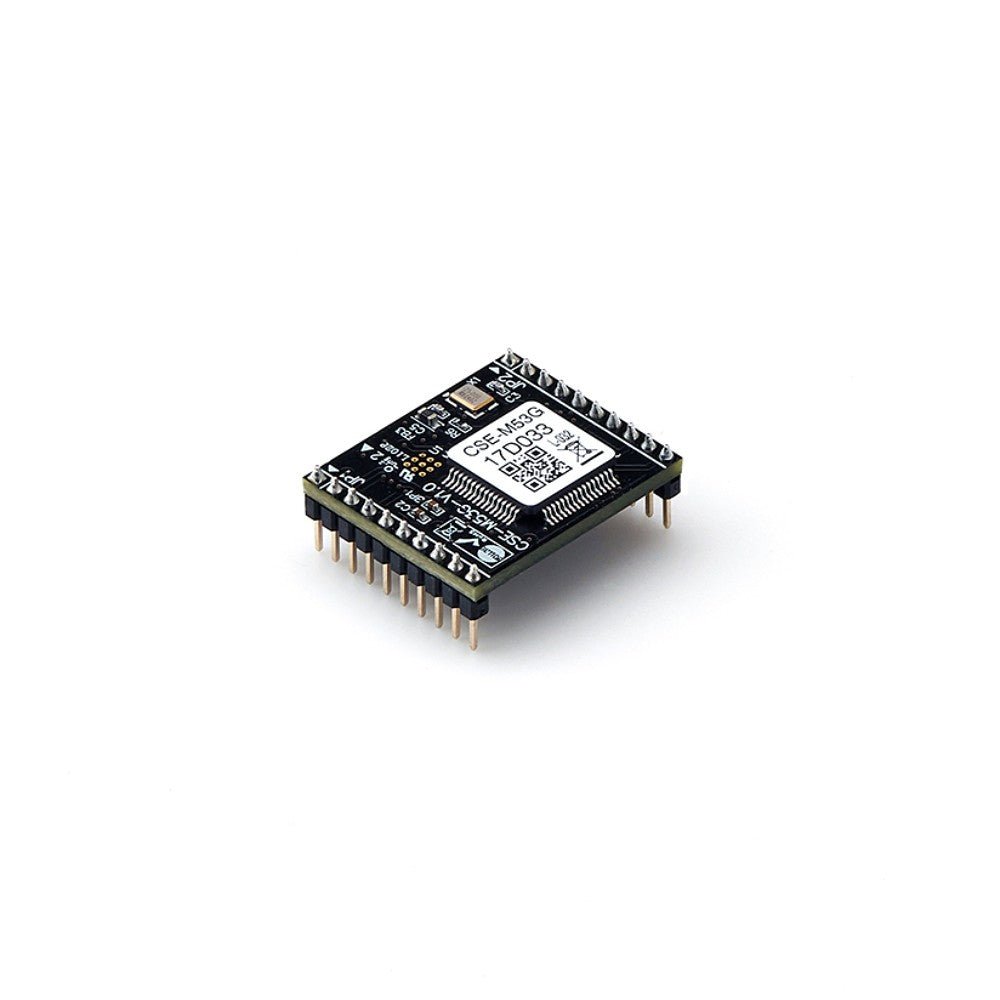
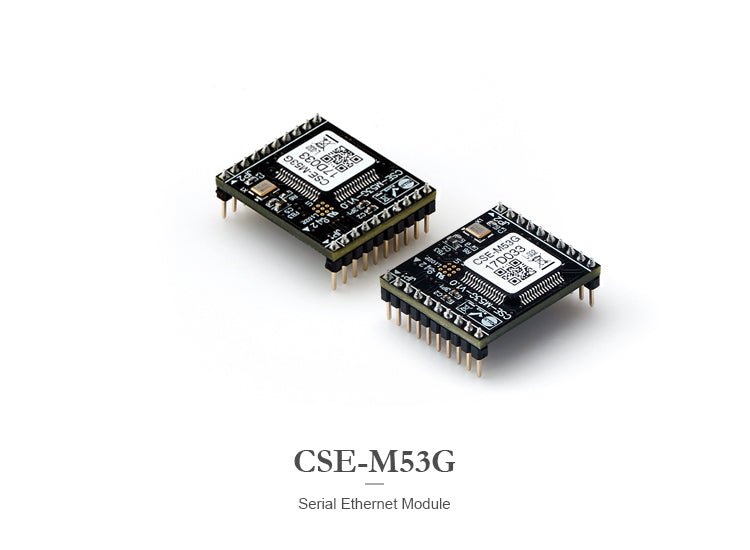
Ultra-Compact OEM Module for Embedded Serial Networking: Integrate professional-grade serial-to-Ethernet connectivity directly into your products with this super-compact 20mm x 24mm embedded module.
The Sollae Systems CSE-M53G is an industrial-grade embedded serial-to-Ethernet module designed for OEM integration into equipment, instruments, and devices. With its ultra-compact footprint (20mm x 24mm), pin-compatible design with CSE-M53/M53N, and support for both IPv4 and IPv6, the CSE-M53G delivers enterprise-level networking performance in a tiny package perfect for space-constrained embedded applications.
Why Choose the CSE-M53G?
📦 Ultra-Compact Design
At just 20mm x 24mm x 9.1mm and weighing only 3.2g, the CSE-M53G is one of the smallest serial-to-Ethernet modules available. Perfect for embedding directly into your products where space is at a premium.
🔌 Pin-Compatible with CSE-M53/M53N
Drop-in compatible design allows easy migration from CSE-M53 or CSE-M53N modules. Standardize on one footprint across your product line while leveraging the latest features.
🌐 Future-Proof IPv6 Support
Full IPv4/IPv6 dual stack implementation with stateless and stateful (DHCPv6) address auto-configuration. Ready for modern networks and future IPv6 deployments.
🏭 Industrial-Grade Reliability
Extreme temperature range (-40°C to +85°C) and robust design make this module perfect for harsh industrial environments where consumer-grade components fail.
🔒 Enhanced Security
Built-in TLS v1.2 encryption, IP/MAC filtering, and password protection ensure your serial data remains secure across the network.
🔄 Multiple Connection Support
Monitor and control from multiple locations simultaneously. Multiple clients can connect to a single CSE-M53G for distributed monitoring and control applications (firmware v2.3A or later).
⚡ High-Speed Performance
UART support up to 921.6 kbps (under certain conditions) ensures fast, reliable data transfer for even the most demanding serial applications.
🎯 Flexible Serial Interface
Single UART can be configured for RS-232, RS-422, or RS-485 operation with simple external circuitry. One module handles all your serial interface needs.
🛠️ Easy Integration
Simple 2mm pitch pin headers, comprehensive documentation, reference circuit designs, and free configuration software make integration straightforward.
CSE-M53G Technical Specifications
Serial Interface
Physical Interface:
- Type: 1 x UART (3.3V level with 5V tolerant input)
- Signals: RXD, TXD, RTS (TXDE for RS-485), CTS, GND
- Connector: 2 x 10-pin headers (2mm pitch)
Serial Modes:
- RS-232: 300 to 921,600 bps (without XON/XOFF)
- RS-232 with XON/XOFF: 300 to 230,400 bps
- RS-422/RS-485: 300 to 230,400 bps
- With SSL/TLS: 300 to 115,200 bps
Serial Parameters:
- Data Bits: 8 bits, 7 bits (with parity)
- Parity: None, Even, Odd, Mark, Space
- Stop Bits: 1, 2
- Flow Control: None, RTS/CTS, XON/XOFF
Note:
- 7 data bits with NONE parity is not supported
- A single idle bit is automatically added after every stop bit by the MCU function
Network Interface
Ethernet:
- Speed: 10Base-T or 100Base-TX (Auto-Sensing)
- Cable Detection: Auto MDI/MDIX (works with straight or crossover cables)
- Connection: Simple external circuit required (pulse transformer in RJ-45)
Network Protocols:
- IPv4: TCP, UDP, IP, ICMP, ARP, DHCP, PPPoE, DNS, DDNS, Telnet
- IPv6: ICMPv6, TCPv6, UDPv6, IPv6 fragmentation
- IPv6 Configuration: Stateless and Stateful (DHCPv6) auto-configuration
- Security: TLS v1.2 (Secure Socket Layer)
- Advanced: Telnet COM Port Control Option (RFC 2217)
Communication Modes
TCP Server (T2S):
- Passive connection mode
- Waits for incoming TCP client connections
- Default local port: 1470
- Ideal for centralized monitoring applications
TCP Client (COD):
- Active connection mode
- Initiates connection to remote TCP server
- Configurable peer IP address and port
- Perfect for data logging and cloud integration
AT Command Mode (ATC):
- Control connections dynamically via AT commands
- Both active and passive connections supported
- Allows runtime configuration changes
- Patented Sollae Systems technology
UDP Mode (U2S):
- Connectionless communication
- Broadcast and multicast support
- Low-latency data transfer
- N:M topology (many-to-many communication)
Power Specifications
- Input Voltage: DC 3.3V ±0.3V (±10%)
-
Current Consumption:
- 100M Ethernet: 110mA typical
- 10M Ethernet: 150mA typical
- Power Filtering: Filter interface recommended for 3.3V power input
Environmental Specifications
- Operating Temperature: -40°C to +85°C (-40°F to 185°F)
- Storage Temperature: -40°C to +85°C
- Humidity: 5% to 95% RH, non-condensing
- Certifications: RoHS compliant
Physical Specifications
- Dimensions: 20mm (W) x 24mm (L) x 9.1mm (H) (0.79" x 0.94" x 0.36")
- Weight: Approximately 3.2g (0.11 oz)
- Mounting: Surface mount via pin headers
- PCB Recommendation: 4-layer PCB recommended to reduce noise
Pin Configuration
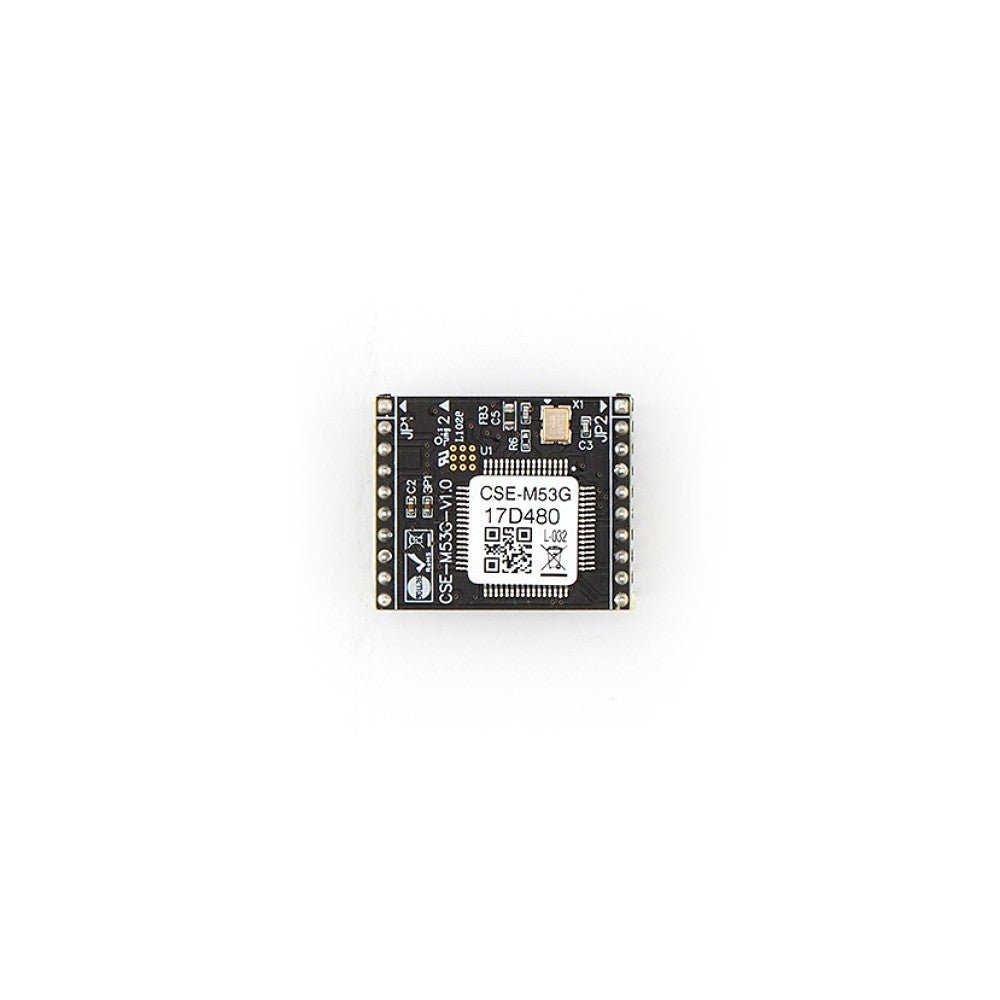
JP1 Connector (10 pins, 2mm pitch):
- GND - Ground
- TP_RXN - LAN IN - (Input)
- TP_RXP - LAN IN + (Input)
- GND - Ground
- TP_TXN - LAN OUT - (Output)
- TP_TXP - LAN OUT + (Output)
- GND - Ground
- RXD_LED - LAN Receive LED (Active Low)
- TXD_LED - LAN Transmit LED (Active Low)
- LINK_LED - Link LED (Active Low)
JP2 Connector (10 pins, 2mm pitch):
- VDD_3.3V - DC 3.3V ±0.3V power
- RST- - System Reset (Active Low, >200μs recommended)
- ISP- - Mode selection
- GND - Ground
- RXD - UART IN (Input)
- TXD - UART OUT (Output)
- CTS - UART CTS (Input)
- RTS - UART RTS (Output) / TXDE for RS-485
- TCP - TCP Status LED (Active Low)
- STS_LED - Status LED (varies by mode)
Status LED Indicators
STS_LED Operation:
- ISP Mode: Solid ON
- Serial Configuration Mode: Blinking (250ms period)
- No IP Address: Fast blink pattern (125ms/1000ms)
- IP Assigned, No TCP Connection: Blinking (500ms period)
- TCP Connected: Solid ON
Real-World Applications
🏭 Industrial Equipment OEM Integration
- Embed networking into PLCs, controllers, and industrial instruments
- Factory automation equipment
- Process control devices
- Manufacturing machinery
- Industrial sensors and actuators
🔬 Medical & Laboratory Equipment
- Diagnostic equipment networking
- Laboratory instruments
- Medical imaging devices
- Patient monitoring systems
- Analytical equipment
🏗️ Building Automation
- HVAC controllers
- Lighting control systems
- Access control panels
- Fire alarm systems
- Energy management devices
⚡ Energy & Utilities
- Smart meters
- Power monitoring devices
- Substation equipment
- Solar inverters
- Battery management systems
🚗 Transportation & Automotive
- Vehicle telematics
- Fleet management devices
- Parking systems
- Traffic control equipment
- Railway signaling
📡 Telecommunications
- Network equipment
- Base station controllers
- Telecom infrastructure
- Remote monitoring devices
🎮 Consumer Electronics
- Gaming peripherals
- Home automation devices
- Smart appliances
- IoT devices
- Entertainment systems
🔧 Test & Measurement
- Oscilloscopes
- Data loggers
- Environmental monitors
- Quality control equipment
- Calibration devices
The CSE-M53G is ideal for various environments such as:
- RFID Systems
- Remote Monitoring Systems
- Extending distance between two devices through the LAN (Serial Tunneling)
What's Included
✓ CSE-M53G Serial to Ethernet Module (1 unit)
✓ Documentation:
- User Manual (PDF)
- Datasheet (PDF)
- Reference circuit designs
- Integration guide
✓ Software available for download:
- ezManager (Configuration utility for Windows)
- ezVSP (Virtual Serial Port driver for Windows)
- ezTerm (TCP/IP communication test tool)
All software is available for download from the Sollae Systems ezTCP website. See the link under the Technical Support & Resources section below.
NOTE: This device is a module, requiring an interface board to provide the mounting and interface. The EVB-M53G evaluation board, which can be purchased separately, has been developed for testing the CSE-M53G module before users design their own interface board. The evaluation board provides many interfaces including a DC jack, a serial port that is selectable for both RS232 and RS485, and an RJ45 for network connectivity.
Note: This is an OEM module. External components (not included) are required for complete implementation (RJ-45 connector with pulse transformer, power supply, RS-232/422/485 interface circuitry).
Integration Guide
Step 1: PCB Design
PCB Recommendations:
- Use 4-layer PCB to reduce noise
- Keep Ethernet traces as short as possible
- Implement proper ground planes
- Follow reference circuit design in datasheet
Required External Components:
- RJ-45 connector with integrated pulse transformer
- 3.3V power supply with filtering
- Series resistor on RST- signal (recommended)
- EMC capacitors (C2-C5 in reference circuit)
- RS-232/422/485 interface circuitry (as needed)
Step 2: Hardware Connection
Power:
- Connect regulated 3.3V ±0.3V to VDD_3.3V (JP2 pin 1)
- Implement power filtering as shown in reference circuit
- Connect all GND pins
Ethernet:
- Connect TP_RXP/RXN and TP_TXP/TXN to RJ-45 pulse transformer
- Follow reference circuit for proper magnetics
- Implement EMC protection
Serial Interface:
- Connect RXD, TXD, RTS, CTS to your serial interface circuitry
- Add RS-232 level shifters (e.g., MAX3232) for RS-232 operation
- Add RS-422/485 transceivers for RS-422/485 operation
Step 3: Initial Configuration
Default Settings:
- IP Address: 10.1.0.1
- Subnet Mask: 255.0.0.0
- Local Port: 1470
- Communication Mode: TCP Server
- Serial Type: RS-232
- Baud Rate: 19,200 bps
- Data Format: 8-N-1 (8 data bits, No parity, 1 stop bit)
Configuration Methods:
- Via Ethernet: Use ezManager to discover and configure
- Via Serial: Enter Serial Configuration mode (ISP- LOW < 1 second)
- AT Commands: Set communication mode to AT Command and use serial terminal
Step 4: Testing
- Power on the module
- Verify LED indicators (LINK_LED, STS_LED)
- Use ezManager to discover module on network
- Configure network and serial parameters
- Test data communication using ezTerm or Simple Test feature
- Verify bidirectional data flow
Total integration time: 2-4 hours (experienced engineers)
Advanced Features & Capabilities
IPv6 Dual Stack Implementation
The CSE-M53G is fully IPv6-ready with comprehensive support:
IPv6 Features:
- Full IPv4/IPv6 dual stack operation
- Stateless address auto-configuration (SLAAC)
- Stateful address configuration (DHCPv6)
- IPv6 fragmentation support
- ICMPv6, TCPv6, UDPv6 protocols
- Seamless IPv4/IPv6 interoperability
Why IPv6 Matters for OEM Products:
- Future-proof your product line
- Larger address space for IoT deployments
- Improved security with IPsec integration
- Better support for mobile and distributed devices
- Simplified network configuration
Multiple Connection Support
Simultaneous Monitoring (Firmware v2.3A+):
- Multiple TCP clients can connect to one CSE-M53G simultaneously
- Perfect for distributed monitoring applications
- Each client receives the same serial data
- Ideal for redundant monitoring systems
- No additional hardware required
Use Cases:
- Multiple operators monitoring the same equipment
- Redundant data logging systems
- Distributed SCADA architectures
- Multi-site monitoring applications
TLS v1.2 Security
Secure Socket Layer Protection:
- Encrypt serial data over the network
- Protect sensitive information in transit
- Industry-standard TLS v1.2 protocol
- Certificate-based authentication
- Prevents eavesdropping and tampering
Security Features:
- IP address filtering (whitelist/blacklist)
- MAC address filtering
- Password-protected configuration
- Secure firmware updates
- Access control lists
Packet Fragmentation Control
Separator Settings:
- Define custom packet delimiters
- Control when data is transmitted over network
- Optimize for different protocols and applications
- Reduce network overhead
- Improve application-level parsing
Data Frame Interval:
- Configure timeout for packet assembly
- Balance real-time performance vs. network efficiency
- Adjustable from 0ms (immediate) to custom values
- Optimize for your specific application
Telnet COM Port Control (RFC 2217)
Remote Serial Port Control:
- Change serial parameters remotely over network
- Adjust baud rate, parity, data bits, stop bits
- Control flow control settings
- Monitor serial port status
- No physical access required
Benefits:
- Remote troubleshooting and diagnostics
- Dynamic serial parameter adjustment
- Centralized serial port management
- Reduced field service costs
Dynamic DNS (DDNS) Support
Always Accessible:
- Automatic DNS updates when IP address changes
- Use hostname instead of IP address
- Perfect for dynamic IP environments
- Supports major DDNS providers
- Simplified remote access
PPPoE Support
Direct Internet Connection:
- Connect directly to DSL/cable modems
- No router required for simple deployments
- Automatic authentication and connection
- Ideal for remote installations
- Reduced hardware costs
AT Command Mode
Patented Dynamic Control:
- Change connection parameters at runtime
- Establish/terminate connections via serial commands
- No device reboot required
- Perfect for applications requiring dynamic connectivity
- Unique Sollae Systems technology
AT Command Capabilities:
- Configure IP addresses and ports
- Establish TCP connections
- Control DHCP and PPPoE
- Set DNS servers
- Modify timeout values
- Save settings to flash memory
Software Suite
ezManager - Configuration Utility
Comprehensive Management Tool for Windows:
Features:
- No installation required (portable application)
- Automatic device discovery via MAC or IP address
- Intuitive graphical interface
- Real-time status monitoring
- Firmware update management
- Configuration backup and restore
- Simple test utility included
- Batch configuration for multiple devices
Configuration Methods:
- Via Ethernet (LAN)
- Via Serial port
- Remote configuration via Telnet
ezVSP - Virtual Serial Port Driver
Windows Virtual COM Port Driver:
Features:
- Creates virtual COM ports on Windows PC
- Legacy applications work without modification
- Supports multiple virtual ports
- Automatic reconnection on network interruption
- Compatible with Windows 7/8/10/11
- No application changes required
How It Works: The CSE-M53G appears as a local COM port on your Windows PC. Your existing serial software communicates with the virtual port, and ezVSP handles all network communication transparently.
ezTerm - Communication Test Tool
Simple TCP/IP Testing:
Features:
- Quick TCP/IP communication testing
- Both TCP and UDP support
- Server and client modes
- Hex and ASCII data display
- Data logging capabilities
- Perfect for troubleshooting
Operation Modes
Normal Mode
Standard Operation:
- For normal data communication
- Four communication modes available (TCP Server, TCP Client, AT Command, UDP)
- Configuration via ezManager or Telnet
- Real-time status monitoring
- Default operating mode
Serial Configuration Mode
Serial Port Configuration:
- Configure via UART port
- Serial parameters: 115,200 bps, 8-N-1
- Use ezManager Serial tab
- No network connection required
- Perfect for initial setup or network troubleshooting
How to Enter:
- Connect ISP- pin to GND (LOW) for less than 1 second
- STS_LED blinks at 250ms period
- Connect via serial port at 115,200 bps
ISP Mode (In-System Programming)
Firmware Updates:
- For upgrading firmware
- Bypass security settings (password recovery)
- Direct firmware upload via ezManager
- Factory reset capability
- Emergency recovery mode
How to Enter:
- Connect ISP- pin to GND (LOW) for more than 1 second during power-on
- STS_LED turns solid ON
- Upload firmware via ezManager
Design Considerations
PCB Layout Best Practices
Layer Stack-up:
- Use 4-layer PCB minimum
- Layer 1: Signal layer (components)
- Layer 2: Ground plane
- Layer 3: Power plane (3.3V)
- Layer 4: Signal layer (routing)
Ethernet Routing:
- Keep differential pairs (TP_RXP/RXN, TP_TXP/TXN) matched in length
- Maintain 100Ω differential impedance
- Route away from noisy signals
- Keep traces as short as possible
- Use ground plane for return path
Power Supply:
- Implement LC or RC filter on 3.3V input
- Place decoupling capacitors close to VDD pins
- Use low-ESR capacitors (ceramic recommended)
- Separate analog and digital grounds if possible
EMC Considerations:
- Add series resistors on Ethernet lines (reference circuit)
- Implement common-mode chokes
- Use shielded RJ-45 connector
- Follow EMC capacitor placement in reference design
Thermal Management
Heat Dissipation:
- Module dissipates approximately 0.33W (100mA @ 3.3V)
- Ensure adequate airflow in enclosed designs
- Consider thermal vias under module for heat spreading
- Monitor junction temperature in high-ambient applications
Operating Temperature:
- Module rated for -40°C to +85°C ambient
- Derate if enclosed without ventilation
- Consider heat from adjacent components
Reset Circuit
RST- Signal:
- Active LOW reset
- Minimum pulse width: 200μs recommended
- Add series resistor (1kΩ typical) for protection
- Can be driven by supervisor IC or microcontroller
- Normally pulled HIGH, driven LOW to reset
Mode Selection (ISP- Pin)
ISP- Control:
- Pulled HIGH for Normal mode
- LOW < 1 second: Serial Configuration mode
- LOW > 1 second during power-on: ISP mode
- Use pull-up resistor (10kΩ typical)
- Can be controlled by microcontroller or jumper
Pin-Compatibility Notes
CSE-M53 vs CSE-M53N vs CSE-M53G
Physical Compatibility:
- All three modules share the same pin-out
- Same 20mm x 24mm footprint
- Same 2mm pitch pin headers
- Drop-in replacement possible
Functional Differences:
- CSE-M53G: Latest generation, TLS v1.2, enhanced features
- CSE-M53N: Previous generation, SSL 3.0/TLS 1.0
- CSE-M53: Original version, basic SSL
Important:
- MCU functions differ between versions
- Firmware is NOT interchangeable
- Test compatibility thoroughly before substitution
- Some timing characteristics may vary
- Consult datasheets for specific differences
Migration Recommendations:
- Test CSE-M53G in your application before mass production
- Verify all features work as expected
- Update firmware to latest version
- Review any application-specific timing requirements
Frequently Asked Questions
Q: What's the difference between CSE-M53G and the standalone CSE-H53N converter?
A: The CSE-M53G is an OEM module for embedding into your products (20mm x 24mm, requires external components). The CSE-H53N is a complete standalone converter with enclosure, connectors, and power adapter. Choose CSE-M53G for OEM integration, CSE-H53N for standalone applications.
Q: What's the difference between CSE-M53G and CSE-M73G?
A: The CSE-M73G includes an integrated RJ-45 connector and built-in RS-232/422/485 interface circuitry (64.3 x 40 x 17mm, 17g). The CSE-M53G requires external Ethernet components and serial interface circuitry (20 x 24 x 9.1mm, 3.2g). Choose CSE-M73G for easier integration with ready-to-use Ethernet and serial interfaces, CSE-M53G for smallest possible footprint.
Q: What external components are required?
A: You need: (1) RJ-45 connector with integrated pulse transformer, (2) 3.3V regulated power supply, (3) RS-232/422/485 interface circuitry (level shifters or transceivers), (4) EMC components (capacitors, resistors per reference circuit), (5) Reset circuit (optional).
Q: Can I use this module with RS-485?
A: Yes! The UART can be configured for RS-485 operation. You'll need to add an external RS-485 transceiver IC (e.g., MAX485, SN75176). The RTS pin becomes TXDE (transmit data enable) in RS-485 mode for automatic direction control.
Q: Is the module pin-compatible with CSE-M53 and CSE-M53N?
A: Yes, physically pin-compatible with the same footprint. However, there are functional differences due to different MCUs. Always test CSE-M53G in your application before using as a drop-in replacement. Firmware is NOT interchangeable.
Q: What PCB design is recommended?
A: Use a 4-layer PCB minimum to reduce noise. Follow the reference circuit design in the datasheet. Keep Ethernet traces short and matched. Implement proper ground planes. Use EMC components as shown in reference design.
Q: Does the CSE-M53G support IPv6?
A: Yes! Full IPv4/IPv6 dual stack support with both stateless (SLAAC) and stateful (DHCPv6) address auto-configuration. It's fully ready for modern IPv6 networks.
Q: Can multiple devices connect to the module simultaneously?
A: Yes, with firmware version 2.3A or later, multiple TCP clients can connect simultaneously. All connected clients receive the same serial data, perfect for distributed monitoring applications.
Q: What is the maximum baud rate?
A: Up to 921.6 kbps for RS-232 without XON/XOFF flow control (under certain conditions). RS-422/485 and RS-232 with XON/XOFF support up to 230.4 kbps. When using SSL/TLS, maximum is 115.2 kbps.
Q: How do I configure the module?
A: Three methods: (1) ezManager via Ethernet (easiest), (2) ezManager via serial port in Serial Configuration mode, (3) AT commands via serial terminal. Choose the method that works best for your development workflow.
Q: What are the default settings?
A: Default IP: 10.1.0.1, Subnet: 255.0.0.0, Port: 1470, Mode: TCP Server, Serial: RS-232, 19200 bps, 8-N-1. These can be changed via ezManager.
Q: Can I use this in outdoor applications?
A: The module is rated for industrial temperatures (-40°C to +85°C) but is not waterproof. For outdoor use, install in a weatherproof enclosure with proper sealing and environmental protection.
Q: What security features are included?
A: TLS v1.2 encryption, IP/MAC address filtering, password-protected configuration, and secure firmware updates. This provides enterprise-grade security for sensitive applications.
Q: How do I update the firmware?
A: Enter ISP mode (ISP- pin LOW > 1 second during power-on), then use ezManager to upload new firmware. The process is straightforward and documented in the user manual.
Technical Support & Resources
CSE-M53G Embedded Serial to Ethernet Module Product Page
CSE-M53G Embedded Serial to Ethernet Module Datasheet
CSE-M53G Embedded Serial to Ethernet Module User Manual
Videos
Serial Networking Solutions | Serial to LAN/WLAN/Internet Converter Video
Product specifications subject to change without notice. Please verify compatibility with your specific application before production. Sollae Systems and ezTCP are registered trademarks of Sollae Systems Co., Ltd. All product names and trademarks are the property of their respective owners.
Share
